Changelog
What changed in dokay, the newest version first. Also as a feed.
0.7.1 · Fixes
A small update for Windows: dokay starts there without a terminal window, and the update window works again.
Fixed
-
A calmer start on Windows. On Windows, dokay starts without a terminal window next to it, and the update window and What's new show their content instead of freezing on a white page. Nothing changes on the Mac.
0.7.0 · A website at dokay.dev
dokay has a home now, dokay.dev, and now runs on Windows, too. On the feature side, dokay now sports its own Git client, has better handling for agent status updates, new shortcuts for content types, and many fixes and quality improvements.
New
-
A website at dokay.dev. dokay has a website now! https://dokay.dev

-
dokay runs on Windows. Welcome Windows users! Starting now, dokay ships for Windows 10 and 11, x64 and Arm64, from the new Windows tab on the download page.
To be clear: Windows builds aren’t as fleshed out as our macOS version, yet. Also, we’re cheap, so we’re using self-signed certificates for now. Depending on how well a Windows version is received, we might add proper signing using trust providers in future.
-
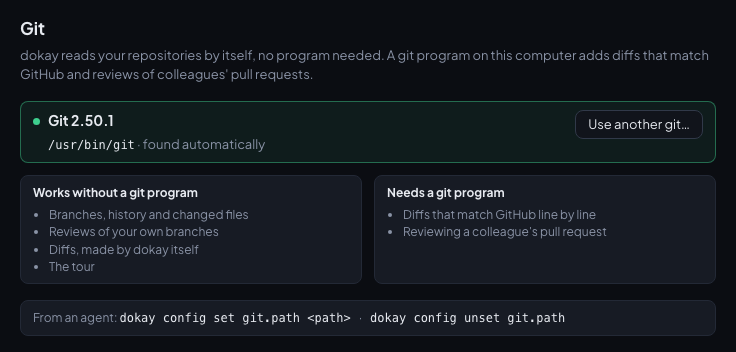
Git built into dokay. dokay now comes with its own version of Git and better System-Git detection. If you want to use a specific Git binary, you can find the option for it inside the new Git settings.
-
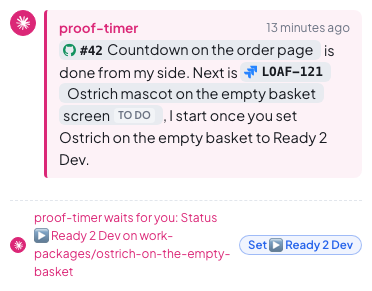
Agent status handling. We fleshed out how dokay keeps track of your agent’s status. It now detects wether your agent
- is still working
- is waiting for an answer or your interview question
- is waiting for a status update on a page
- etc.
If an agent does not report its status as expected, dokay will automatically inquire, and remind the agent to provide the correct status update.
-
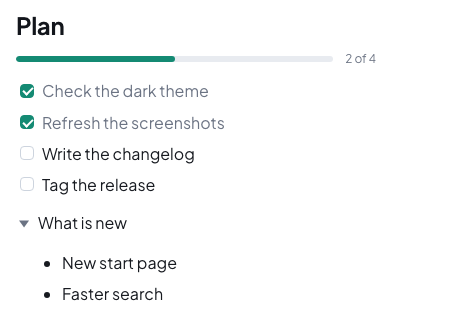
Block types by keyboard. Shortcuts turn the block at the caret into another kind:
- ⌘⌥1 to ⌘⌥3: a heading
- ⌘⌥4: a task
- ⌘⌥5: a bullet
- ⌘⌥6: a numbered item
- ⌘⌥7: a toggle, which folds what stands below it, in GitHub and Obsidian too
- ⌘⌥8: code
- ⌘⌥9: a sub page
- ⌘⌥0: text again
⌥⌘C copies a link to the block at the caret, a single list item included. Enter in a task list always starts an open box.
-
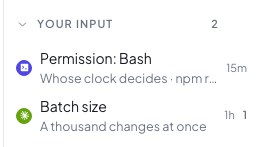
Your input in the sidebar. A new group at the top of the sidebar, Your input, lists everything that waits for you: questions you have not answered, permissions agents ask for, and messages dokay held back. One click takes you there. A held message can be sent right from its row, and a question that no longer fits can be dismissed instead of answered. The text above a question reads like a message, with links you can follow.
-
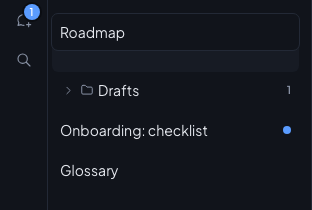
Folders and conversations under Favorites. Folders and conversations can go under Favorites now, from their menu. A folder unfolds there with its pages and keeps its star when it is renamed, moved, or archived. A conversation shows where it stands and stays when it is resolved, which is more than most of us manage with our bookmarks. Drag a favorite to where you want it, and the order stays; the ⋯ of Favorites sorts them once by name or by kind.
-
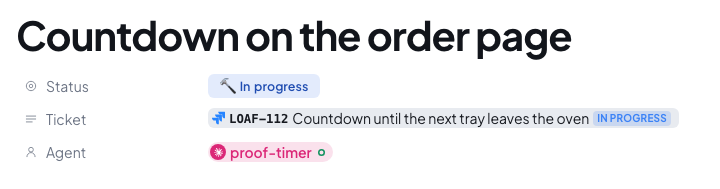
Pages pinned to conversations and agents. Pages can show the conversation and the agent that belong to them. The top of such a page shows the conversation's title and whether it waits or works, and the agent's name and whether it is busy. A click opens the conversation beside the page. Agents add both to the pages they work on. Starting a conversation from such a page opens the one it already has. Before, dokay started a new one each time, as if the page had never met anyone.
-
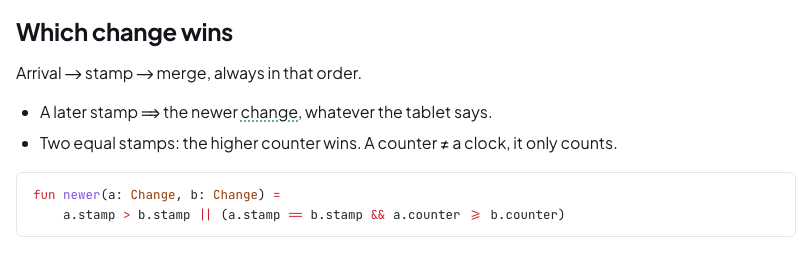
Ligatures in pages, messages, and code. Type -> on a page or in a message, and dokay shows an arrow. <-, <->, =>, !=, <=, and >= turn into their signs too, and code shows in JetBrains Mono with its ligatures, as the terminal Ghostty draws it. The file keeps what you typed, and where the caret stands a sign falls apart into its characters, so you always edit what is really there. Settings › Experimental turns them off.
Changed
-
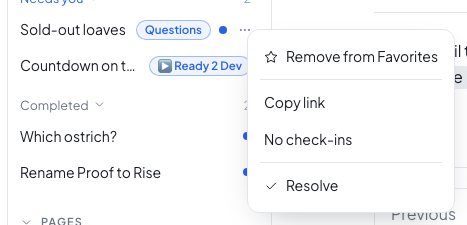
Menus on a right click. A right click no longer opens the browser's menu, whose Back, Reload, and AutoFill never did a conversation any good. A conversation's menu, in the list, under Favorites, or in the path, offers Copy link, Resolve, and Reopen, and the row moves to its group right away. Pages and folders keep their menus, and fields keep Cut, Copy, Paste, and the spelling suggestions.
-
And more.
- Link cards wait until the pointer rests on a link for two seconds.
- Selected words stay selected; references come from the picker, ⇧⌘C.
- The path above a page opens a menu per part and finds the page in the list.
- Folders go into folders by dragging, and every sidebar group folds.
- After an update every tab comes back as you left it, draft included.
- Links to pages in messages work everywhere, and broken ones turn red.
- Text files under Resources open like a page.
- Questions keep their #42, close messages show their time, and property rows leave no gaps.
0.6.0 · Experimental features in Settings
dokay 0.6.0 gets a place for features that are not ready yet: Settings › Experimental, where unfinished ideas stay switched off until you turn them on. The rest is fixes: pictures survive cut and paste, chips wrap in table cells and look right on GitHub, and dragging pictures into dokay works again.
New
-
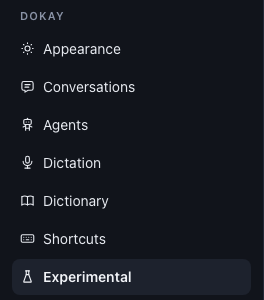
Experimental features in Settings. We want to ship fast. But not every feature is meant to be for everyone. Starting now, dokay uses a feature flagging system to hide away the really ugly stuff until we decide what to do with it.
Fixed
-
Pictures that survive cut and paste. Cut a block with a picture and paste it elsewhere, and the picture comes along instead of a question mark. Captions, sizes, ticked tasks, the language of code blocks, and diagrams come along too. Pictures and links pasted into another folder or another book still find their files, and embeds of a moved block still find the block.
-
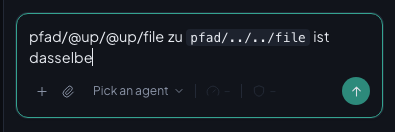
Stepping out of inline code. Typing after inline code used to keep you inside it. Now → at its end and ← at its start move you out, so the next words are plain text again, in replies and on pages alike.
-
Empty groups in lists. A list grouped by status used to show every status, even with
empty: hideset, which only boards listened to. Lists now leave out the empty groups too, and the gear menu of a grouped list has the switch for it.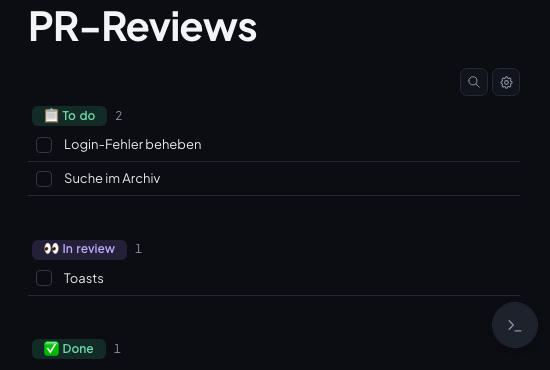
-
Chips that wrap in table cells. Chips have wrapped in paragraphs for a while, but tables were a different beast to tame. (Not really, nobody had ever tried.) Now chips wrap in table cells like everywhere else, which brings correct chip wrapping to 100% coverage (until someone finds a spot where they still don't).
-
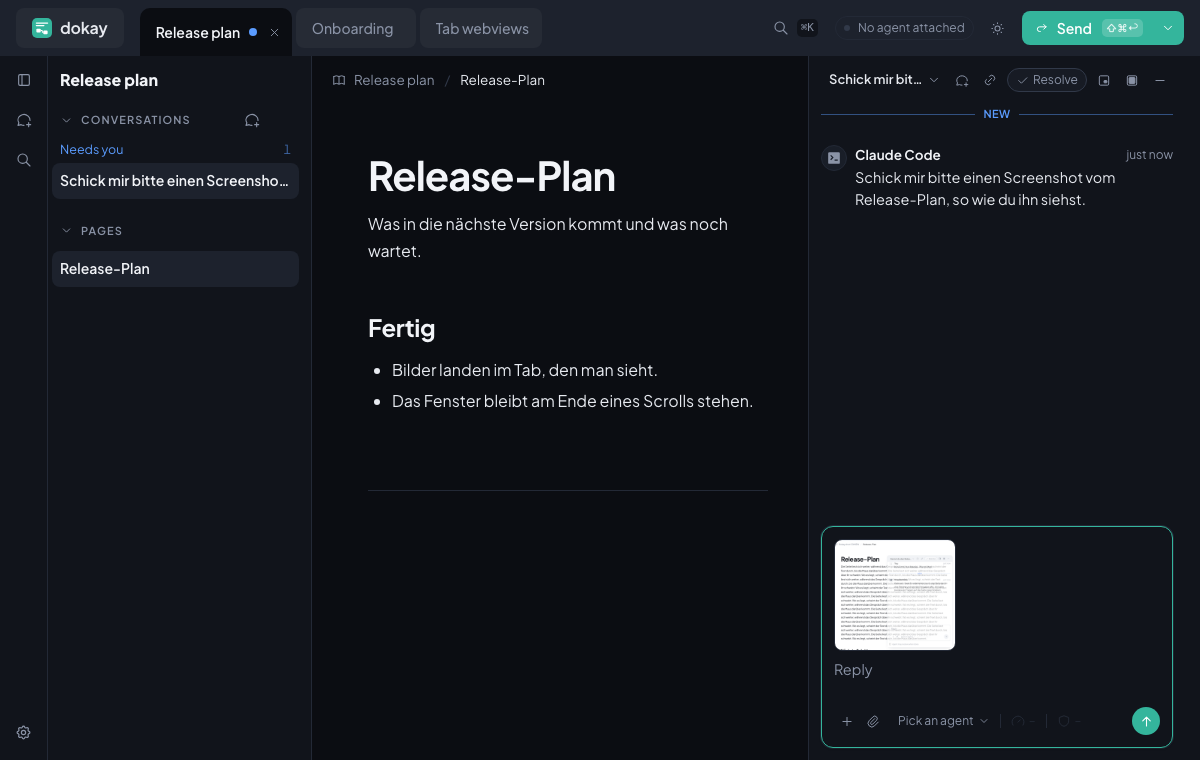
Fixed image dragging. With 0.5.0, someone broke dragging images and videos into conversations and documents. They/It behaved erratically, but we successfully locked parts of the issue away. Now it works as before.
-
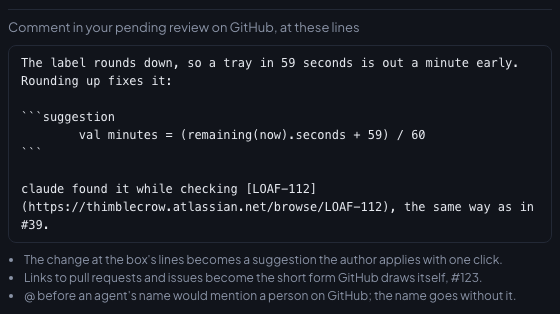
GitHub formatter. dokay uses some majorly smort Markdown 🧠. GitHub’s Markdown on the other hand is named after a popular ice cream flavor. dokay, being a gelatiere itself, now translates from artisan to vanilla. (Okay, that metaphor went a bit overboard.)
Too long, didn’t like the ice cream reference: Inside GitHub review comments, we now translate Markdown syntax from dokay's flavor to one that GitHub can understand and render. (Wasn’t that complicated, eh.)
-
And more ...
- Scrolling past the end of a page, the sidebar, or a conversation no longer drags the whole window along and leaves it shifted.
- Answering the agent you are already talking with no longer puts its name as a chip into your reply field. A chip shows up only when a different agent asks.
0.5.0 · Folders in the page list
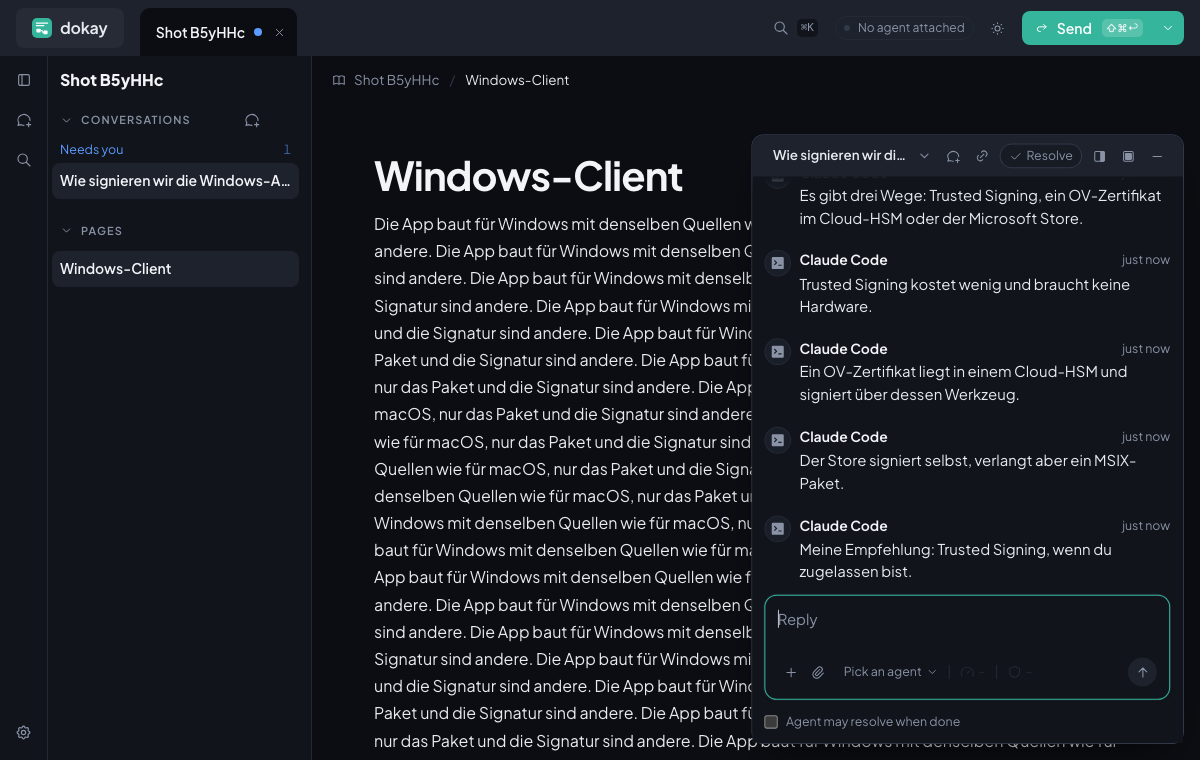
dokay 0.5.0 brings real folders to the page list: nest them, move them, rename them, and archive them. Chips now sit in a sentence like ordinary words, conversations stay where you scrolled, and the agent menu works from the keyboard alone.
New
-
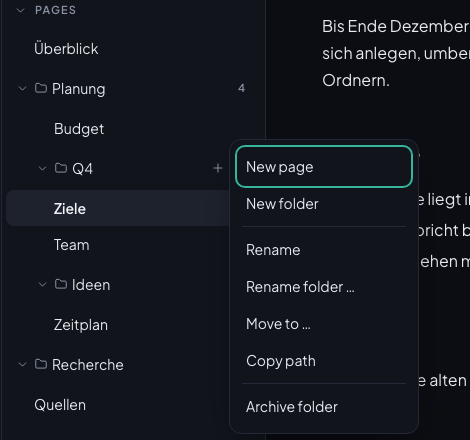
Folders in the page list. The page list now has real folders, and folders inside folders. Make one with "New folder" in the "+" menu at Pages or in any folder’s menu. Drag pages and folders where you want them, or use "Move to …", ⇧⌘M for the open page. Rename a folder’s title or its name on disk, or archive it as a whole. Links, conversations, and open pages follow every move, and Undo waits at the bottom for ten seconds.
-
⌘Z for a page just made. A page made with + in the page list goes away again with ⌘Z, as long as nothing was written on it, and the tab returns to where it was. Changed your mind twice? ⇧⌘Z brings it back.
Changed
-
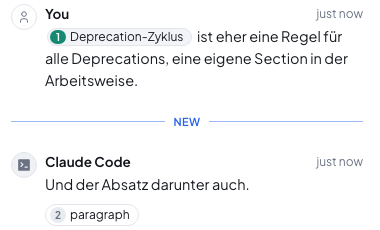
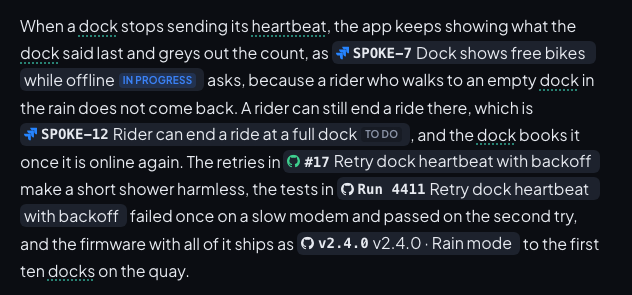
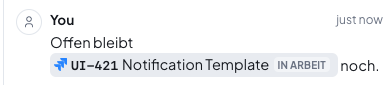
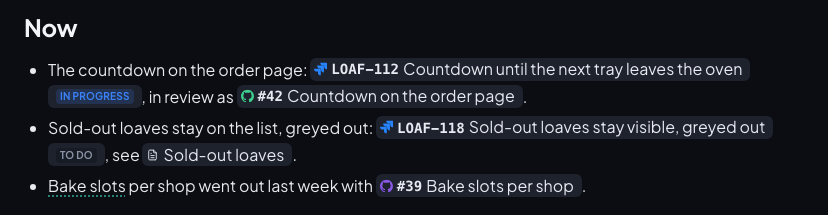
Chips that behave like words. Chips for Jira tickets, GitHub pull requests, and other links now behave like the words around them. A place you point at in a message shows up in the sent text as that chip, instead of a bare number like [2] with the chip repeated below. A long chip at the end of a line breaks onto the next line like a word, chips on neighbouring lines no longer touch, and their text sits level with the icon. (The last screenshot still shows the crooked old version, as a memorial.)
-
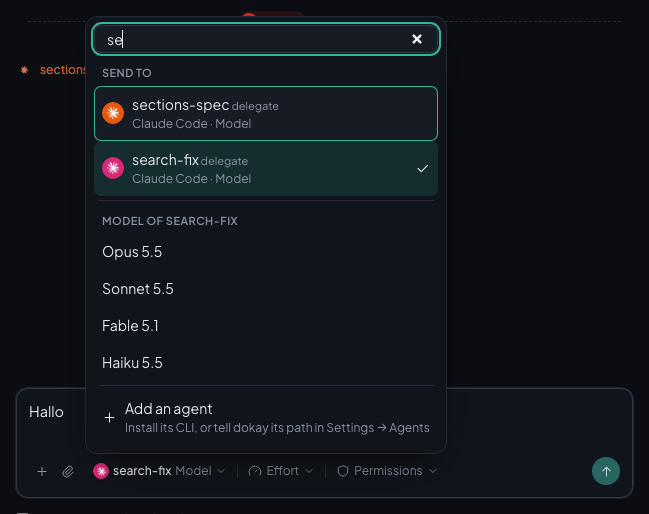
Agent menu from the keyboard. Typing in the agent menu now filters down the available agents as you type. The first match is always focused, so you can quickly select it by hitting Enter. Use your arrow keys to navigate up and down through the filtered list. Inside messages, you can still type @ to annotate any agent and forward the message to it, or now write @@ to bring up the “agent picker menu” for permanent changes.
Fixed
-
Documents opened in quick succession. When an agent opened several documents one right after the other, one of them could take over the tab of the document before, which then had to load again on its next visit. Each document now waits for a tab of its own.
-
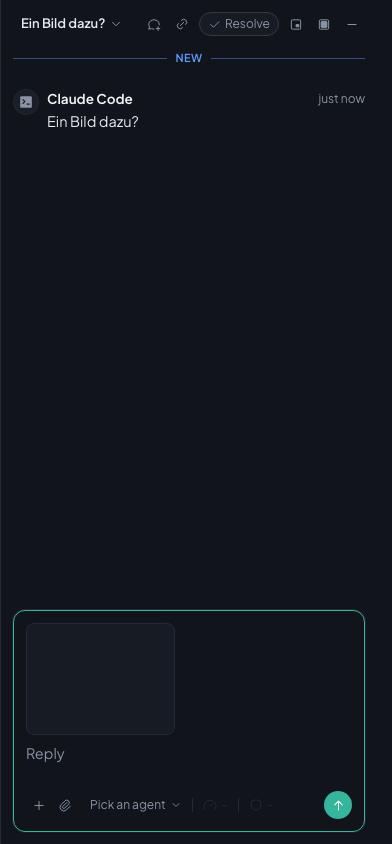
Pictures dropped into the tab you see. With several tabs open, a picture dragged into a conversation or a page sometimes landed in another tab, out of sight. Now it lands where you drop it.
-
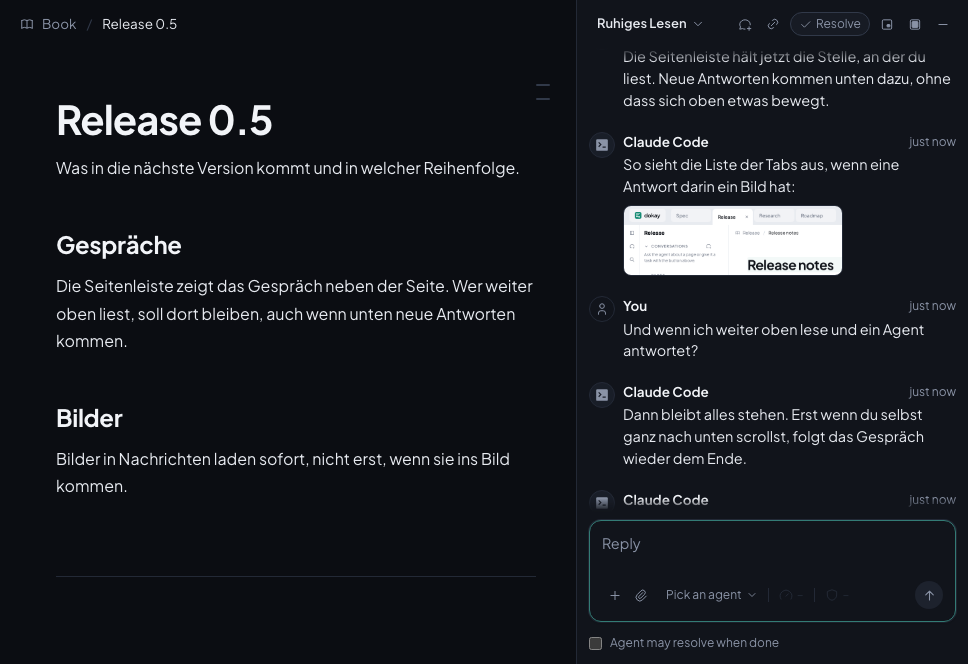
Conversations that hold your place. Scroll up in a conversation to reread something, and it now stays exactly where you left it. New messages, pictures that finish loading, and switching between sidebar, floating window, and full screen no longer move it. Scrolled all the way down, it still follows new messages as before.
-
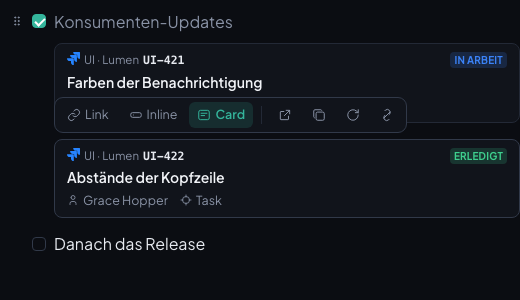
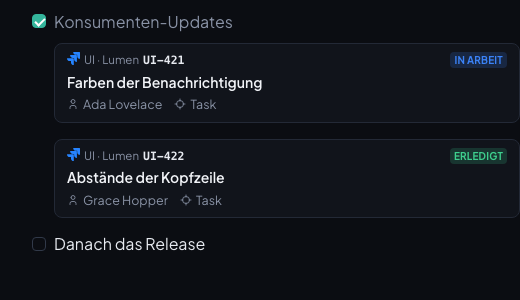
Link bar and cards that know their place. The small bar that appears above a link or a card now disappears as soon as you move the mouse away, and Escape closes it. A card on its own line after a line break now shows as a card, just like a card in a paragraph of its own, without a stray number above it like a price tag.
0.4.1 · Speed
This version is about speed. Long reviews scroll smoothly, and tabs switch at once. A few small fixes in reviews and for agents come along.
Fixed
-
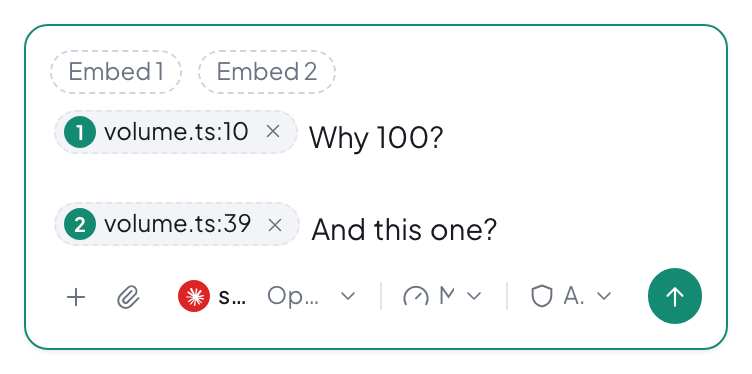
Saved review comments wait in the reply field. Review comments you saved as drafts no longer go missing. They now wait in the review's reply field, ready to send as one message.
-
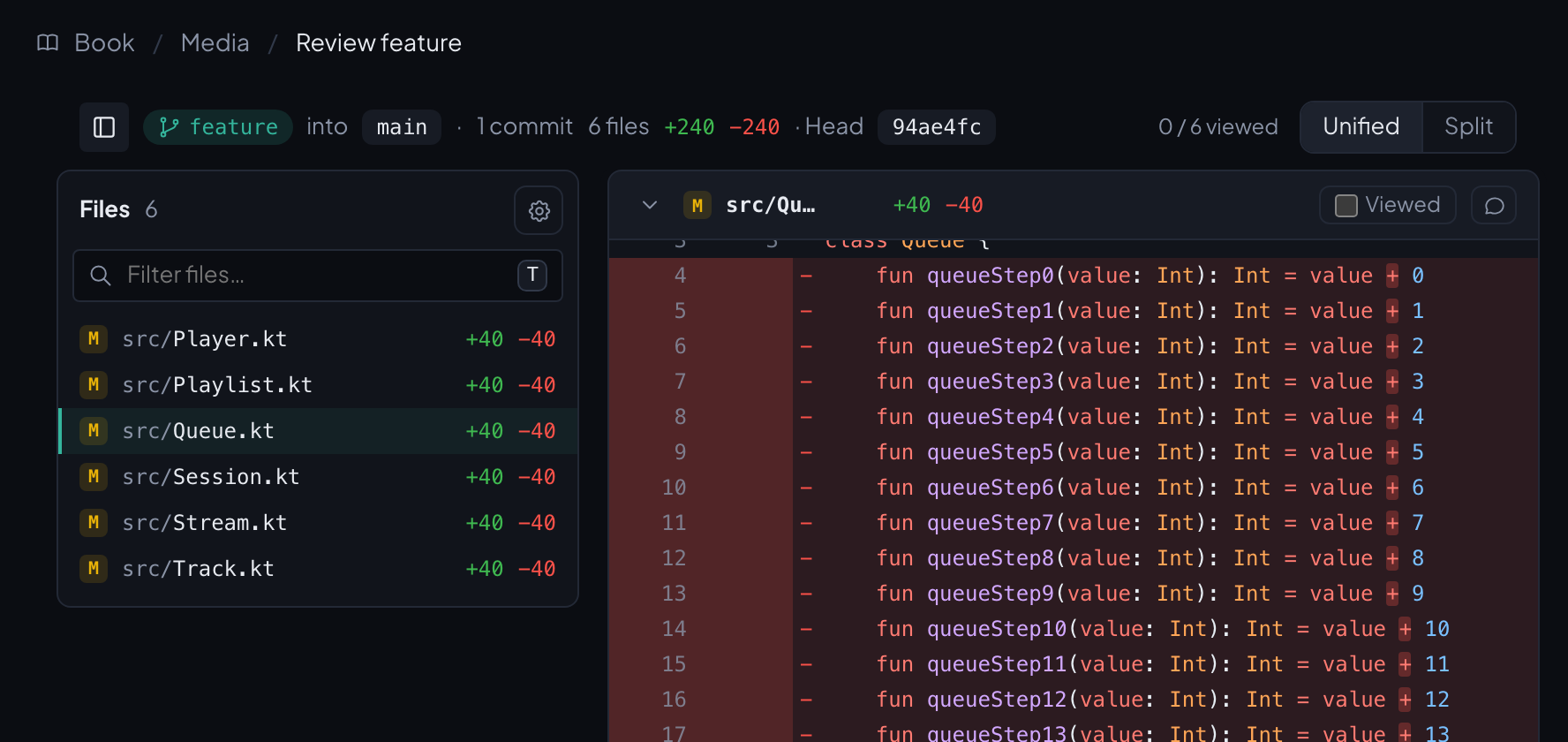
Whole file names in reviews. In a review, long file names lost their last letters to an ellipsis, even with room to spare. Now they show in full, like src/export/composed.ts.
-
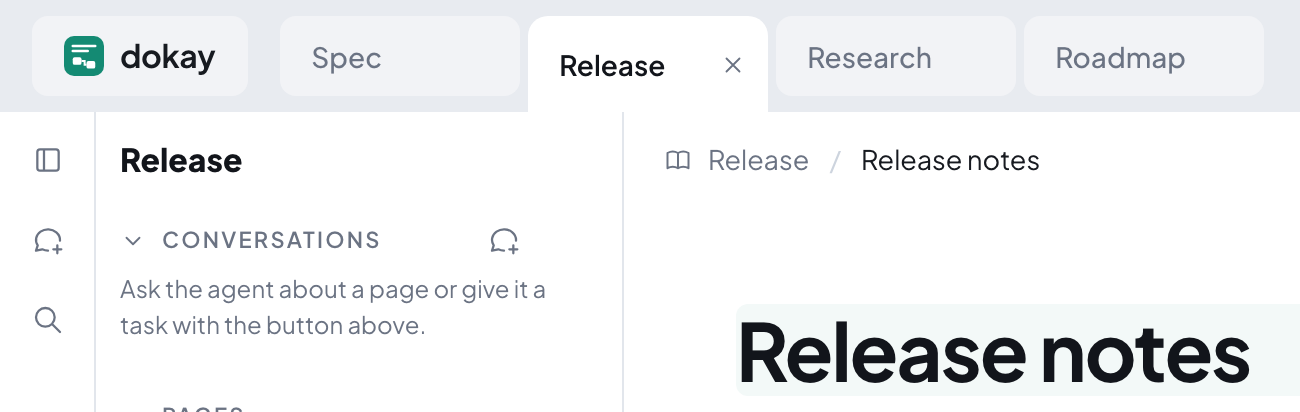
Quicker switching between tabs. Switching tabs was slow, because every switch built the page again. Now a tab you visited before appears at once: the app keeps up to five tabs per window ready, the way a browser does. A large review in one tab no longer slows the others down.
-
Smooth scrolling and resizing in reviews. Long reviews scroll smoothly again. They no longer stutter when the next file's name reaches the top, or when a new message arrives beside them. Dragging the edge of a panel, narrowing the window, and widening the list of files are smooth too, on every page. Colouring the code no longer holds up the page.
-
Finished delegates no longer go unnoticed. A delegate is a helper agent that another agent starts. When a delegate is done, the agent that started it now always hears of it. Before, some delegates kept running unnoticed.
0.4.0 · Pull request reviews
The big one first: dokay now reviews your colleagues' pull requests with you. Pages got draggable blocks and columns. Links turn into chips. ⌘F finds words on the page. Plenty of small things stopped going wrong, too. Coming later: a better workflow engine, tracking of what agents change, folder tools, and a live view of what an agent does.
Some fancy new features, and several functional and UX fixes make this release a worthy 0.4. Some other things that are in the making, which you won’t find in this changelog (yet) are a greatly improved workflow engine, tracking of agent changes, folder management tools, and agent stream inspection inside dokay.
New
-
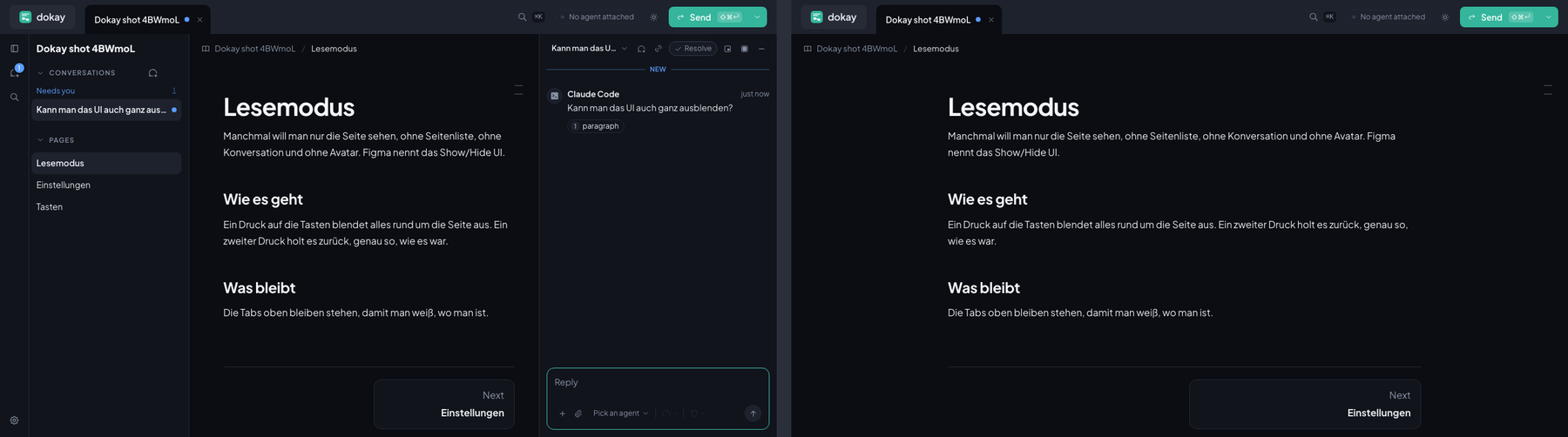
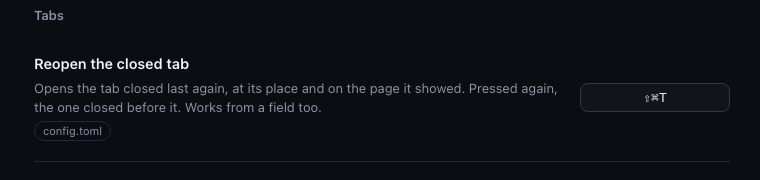
Tabs and panels from the keyboard. Hold ⌘ for a moment and the first nine tabs show ⌘1 to ⌘9, no more counting. ⇧⌘T brings back the tab you closed by accident, at its old place and on its page, and again for the one closed before. ⌘\ hides everything around the page but the tabs, and brings it back just as it was. Settings › Shortcuts gives each another key if yours have other plans.
-
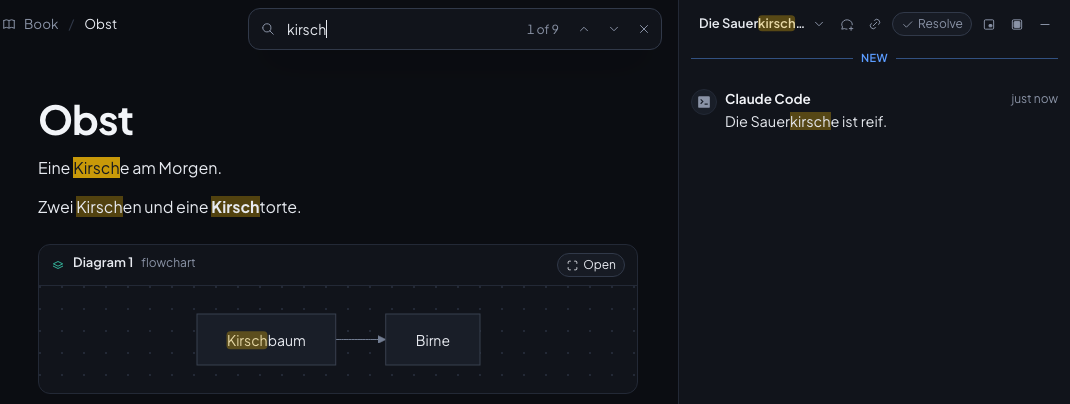
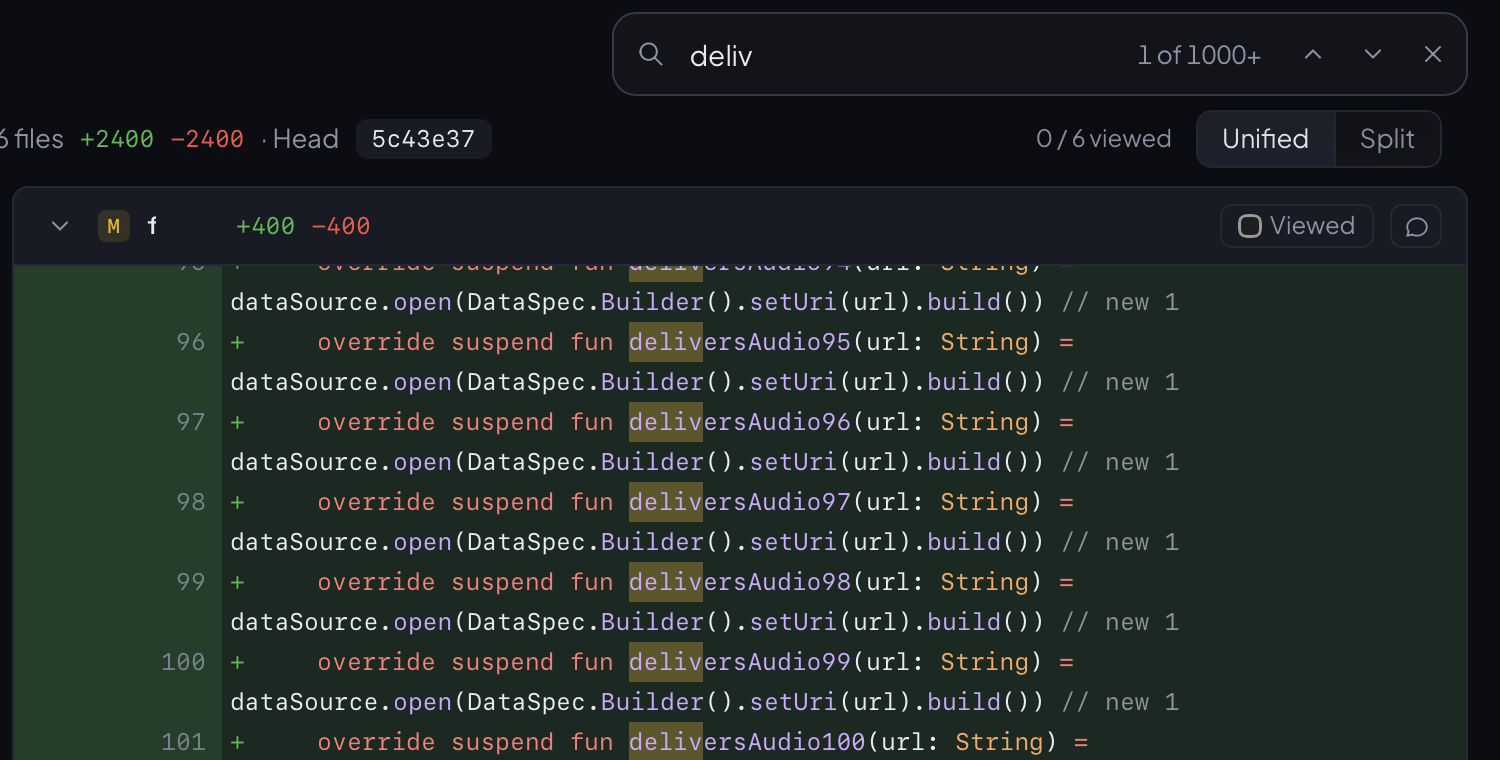
Find on the page with ⌘F. ⌘F opens a find bar. It marks every match on the page, in the text, the diagrams, the conversation, and the diffs of a review. Enter or ⌘G jumps to the next match. Esc closes the bar. What you type there, or into ⌘K, is no longer autocorrected, so "merge" stays merge.
-
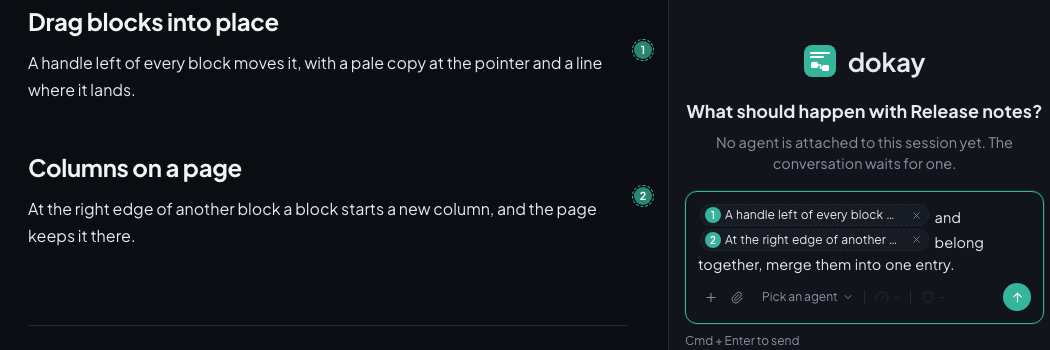
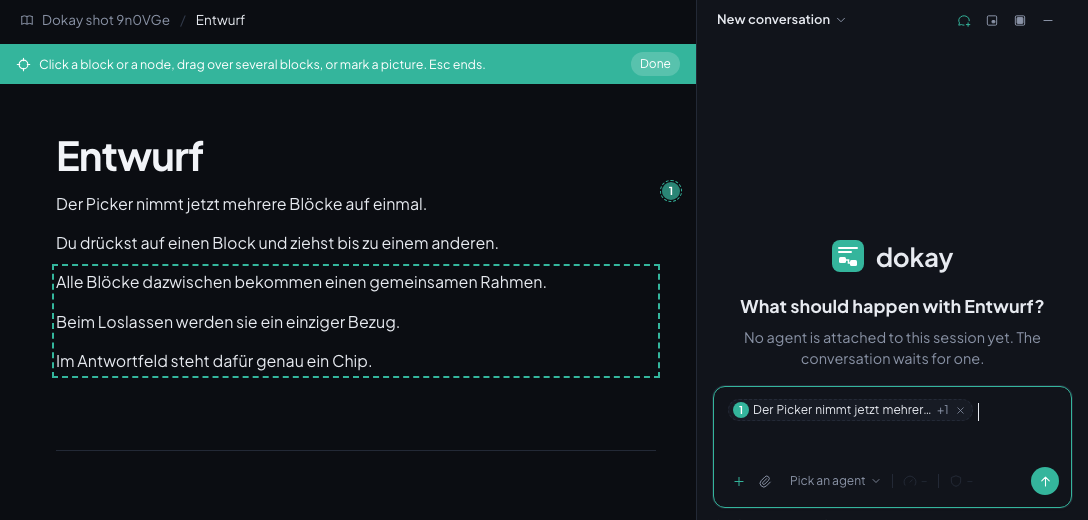
Pick places into your reply. Pick a paragraph, a diagram node, or a spot on a picture. It shows up in your reply as a small chip, right where you were typing. Pick a few and write your words between them. Drag over several paragraphs to pick them as one.
-
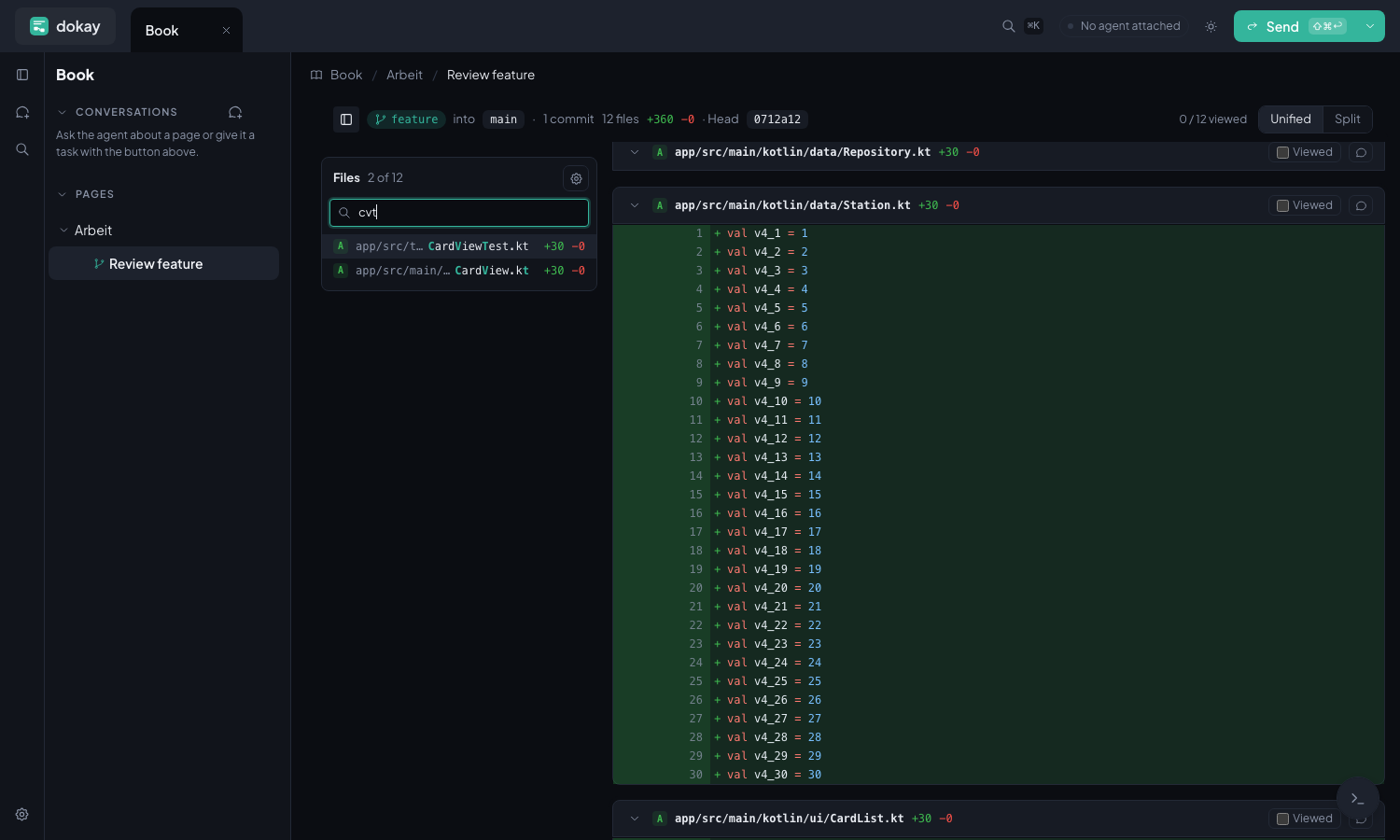
Reviews of pull requests and branches. dokay now opens your colleagues' pull requests, with an agent who has read the diff before you. Run
dokay review open --pr <link>to start. The files are on the left, the diff in the middle, and your conversation with the agent on the right. Click a line number, and the line goes into your message. Comments for GitHub stay at their lines. Reviews of your own branches work the same way, without Approve and Request changes: you simply keep talking.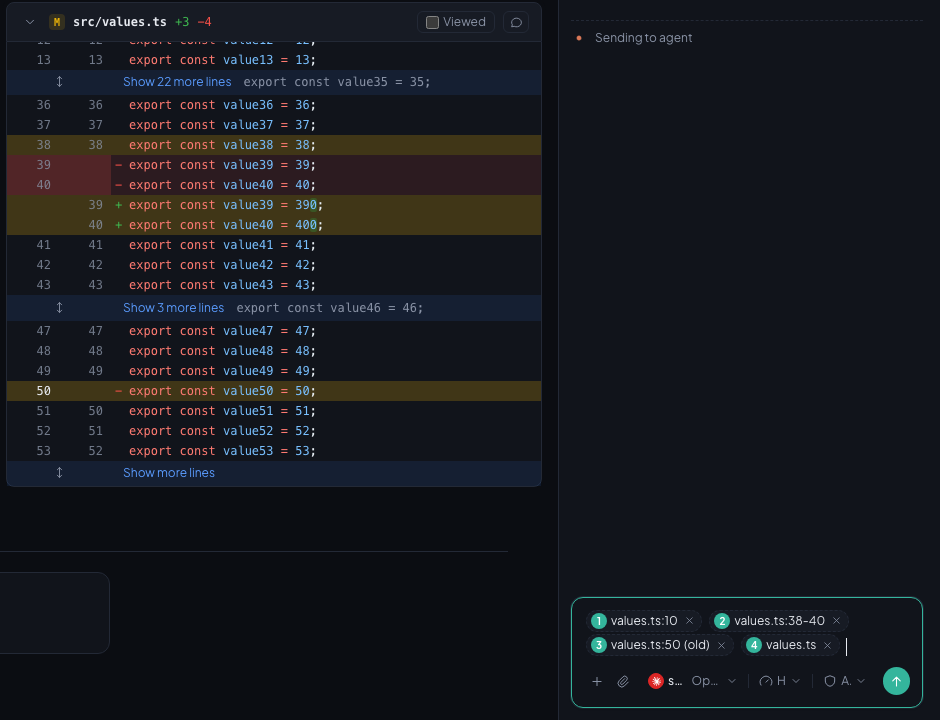
-
Copy a page's link from the path. Right click a page in the path above it, and copy its link or the path of its file. Handy for handing a page to an agent.
-
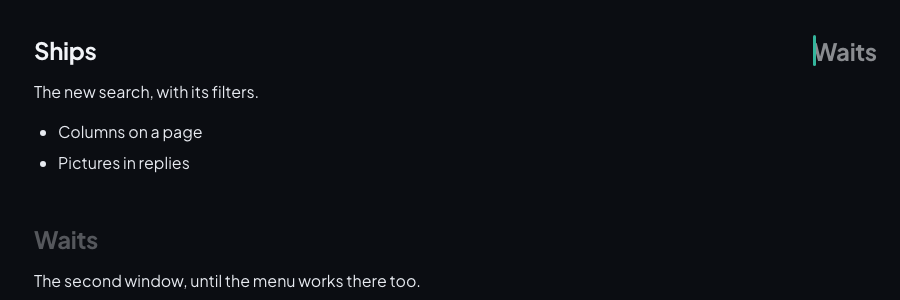
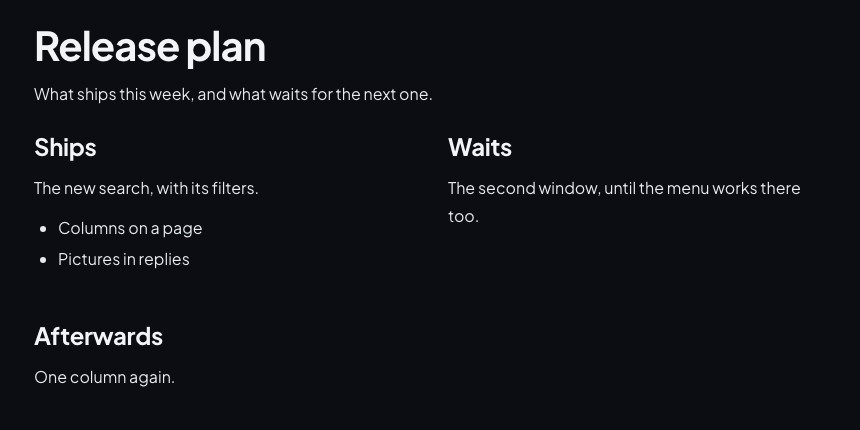
Draggable markdown blocks, and columns. Markdown blocks (paragraphs, bullets, images, you name it) now have a drag handle. Drag a block to move it on the page. Drop it beside another block, and the two stand side by side in columns. Select a few blocks with Shift + Up/Down, and ⌘⇧↑ or ⌘⇧↓ moves all of them at once. ⌘Z takes the move back.
-
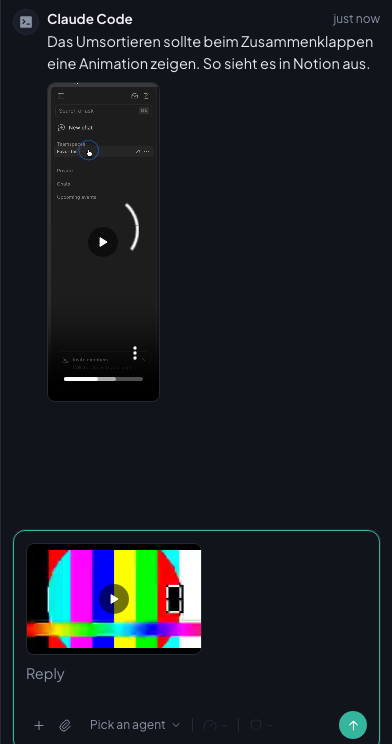
Videos in conversations. A video sent with a message used to sit there as a file name and a size, which is not how anyone watches a screen recording. It now plays right in the conversation, and the button in its corner plays it large. Dropped into a reply, it shows as a preview before it goes out.
-
Links as chips, cards, or words. Paste a URL, and it turns into a chip with the title of the page it links to. This works for pull requests, Jira tickets, Figma frames, and web pages. A small bar above the link turns it into a card with more details, or back into plain words. Links to pages in dokay become chips too. Type
[[to find a page by its title and link it.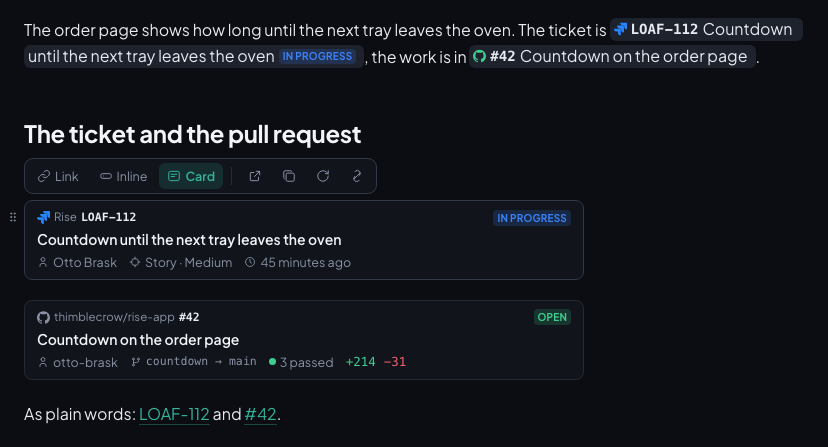

-
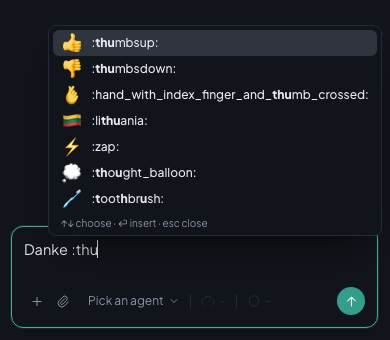
Emoji with :codes. Type a colon and a few letters, like :thu, and a list of matching emoji opens. Press Enter to pick one. Slack users can keep their muscle memory.
-
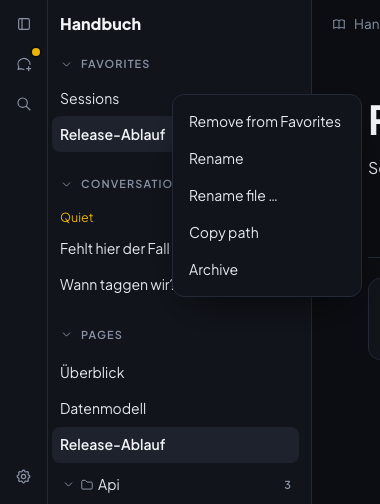
Favorite pages. Some pages you open ten times a day, and they hide three folders deep. Pick Add to Favorites in a page's menu, and it shows up in a Favorites section at the top of the page list, one click away, sub pages included. Favorites belong to the book and stay after a restart.
-
Create a sub page from selected text. Some sentences outgrow their paragraph. Select text on a page and pick New subpage: dokay creates a sub page named after it, quotes the text there with a link back, and links your selection to it. ⌘Z or Undo takes both back.
Changed
-
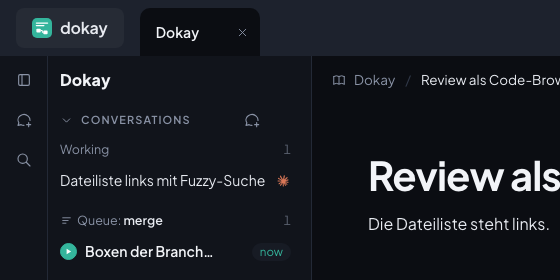
Agents in a queue wait quietly. An agent waiting in a queue now tells you once, instead of every few minutes.
-
Plugin list per book.
dokay plugin listnow lists only the plugins you installed. Add a book, and it lists that book's plugins too. Before, it listed every plugin the server had ever seen, like a guest book nobody clears.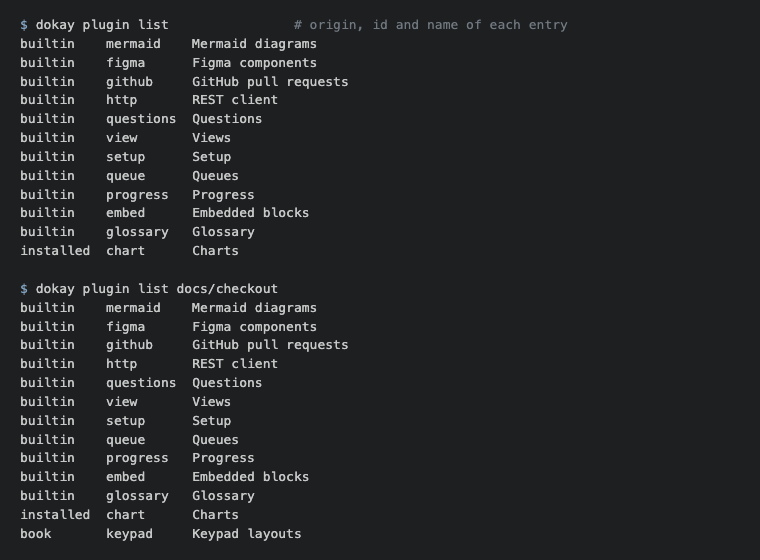
-
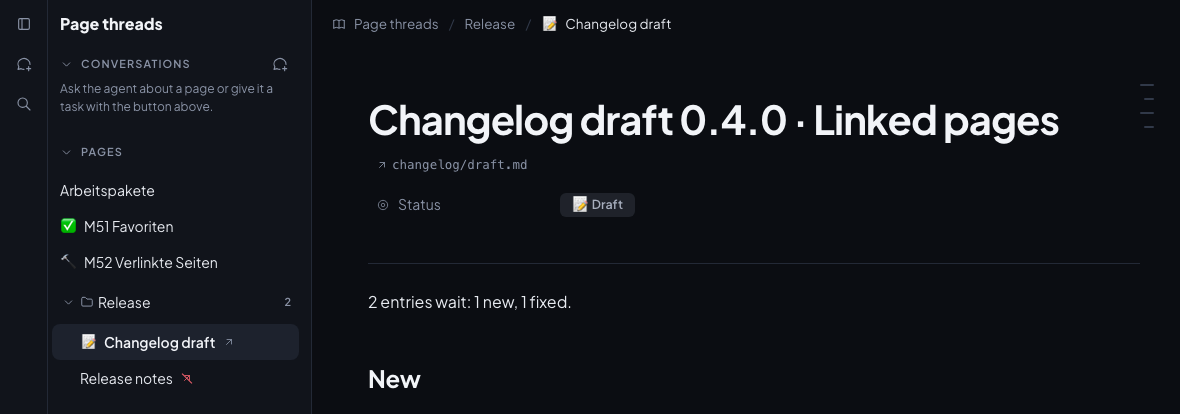
Linked files are ordinary pages. A page can show a markdown file that lives elsewhere in the repository. Such a page now works like any other page. It has a status, sub pages, and a place in the page list. Your edits go back into the file.
-
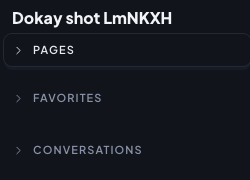
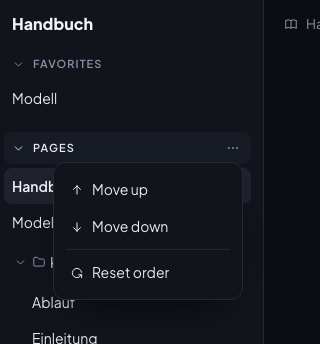
Sections and folders in your own order. Favorites, Conversations, Pages, Archive, and Resources now sit where you put them. Drag a heading to move it, or use the ⋯ menu next to it. The order is the same in all books, because we assume you like one style for all. (Let us know if that’s not true!)
Speaking of sorting, why on earth did folders behave differently than pages? Now you can drag them too: pages, then folders, or mixed as you like.
-
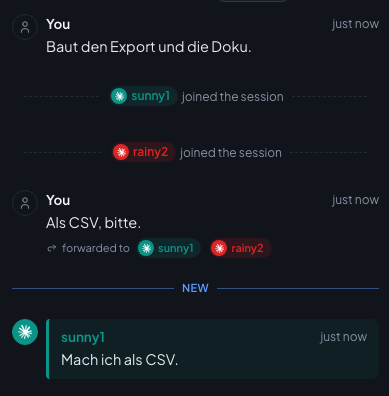
Forwards at the message they pass on. When an agent passes your message on to another agent, the thread now says so right under that message, with every agent it went to as a chip. No more rows of forwarding lines piling up at the end of the conversation, far from the words they were about.
-
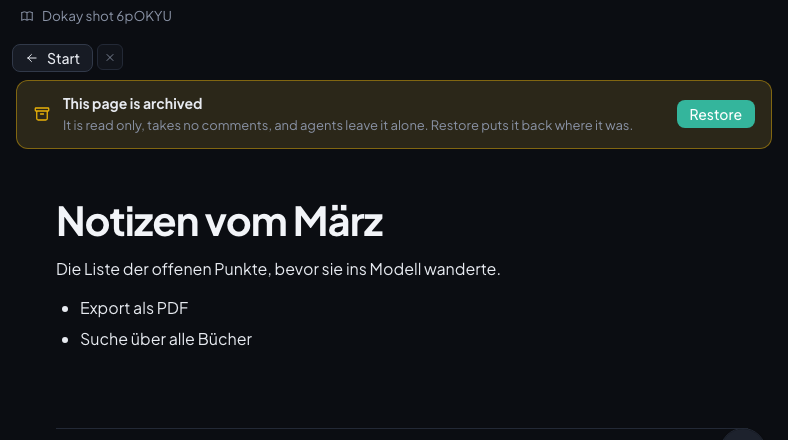
Links to archived pages. Archives are for reading, so a link to an archived page now opens it, read only, with a Restore button at the top. Before, it stopped at a polite note.
-
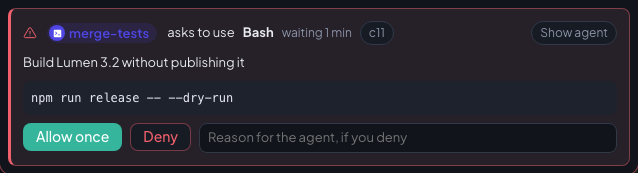
Permission improved, still ugly. Unless you live only once, your agents will keep nagging you about all the permissions. We tried to improve the UX of the permission dialogs, but they are still ugly and boring. We promise to do better in future 🤞. At least, a request you answered in the agent's terminal now closes in dokay too.
Fixed
-
Starting after a newer dokay. Did you go back to an older dokay after trying a newer one? Then the app could fail to start. Now it starts anyway, with all your conversations.
-
Changes made while a document opens. A file that changed while you opened or closed a document could go unnoticed. dokay now catches those changes too.
-
Backspace below a list. Press Backspace at the start of the line right below a list, and the line joins the last item of the list, as in Notion and Google Docs. Before, the list kept growing new bullets.
-
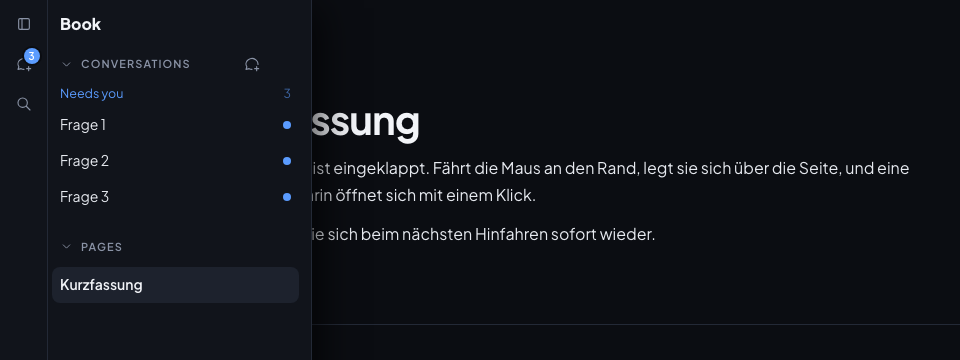
Folded sidebar opens on every hover. After you picked a conversation in the folded sidebar, it now opens again the next time the mouse comes back to the edge. No more leaving and returning twice to convince it.
-
Conversations stay scrolled to the end. A conversation scrolled to its end stays there while new messages arrive. Before, they could push your last message behind the reply field.
-
Figma chips named after the linked frame. A chip for a Figma frame now shows the title written in the frame, like "Day Filter". Before, it borrowed the name of the first layer inside, often a header or a wrapper.
-
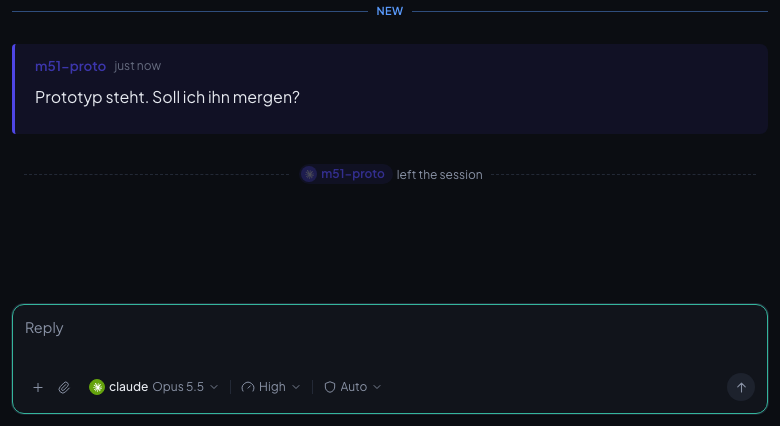
No ghost names in the reply field. When an agent leaves the session, its name now leaves your reply field too. Before, it stayed there as a grey ghost.
-
Copy without the markup. Copy words from a page and paste them into another app: you now get just the words. Before, the list dash and the bold stars came along as a bonus. Pasting back into dokay keeps them.
-
Nothing lost when dokay is quit (said nobody ever). dokay now saves everything when your Mac shuts down, you log out, or you close its terminal, not only when you stop it yourself. The last second of changes no longer disappears. This gives you the power to keep writing text until the battery dies from exhaust...
-
Chips are atomic. In reality, nothing is smaller than fundamental particles. In dokay, chips representing Jira-Tickets, GitHub-PRs, or other resources should behave similar to those particles. However, previously, it was possible to split a chip at its icon or text, thus breaking the laws of physics. Before everything could collapse, we fixed that. Crossing out a chip now crosses out all of it.

-
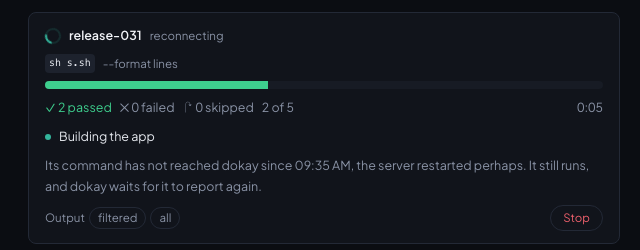
Runs no longer panic when the server restarts. A run used to report itself lost as soon as dokay restarted, although its command was still going. Now it says reconnecting and reports what it missed once the server is back. Lost now means its command is really gone.
-
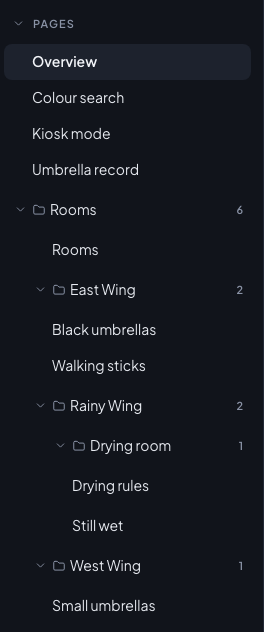
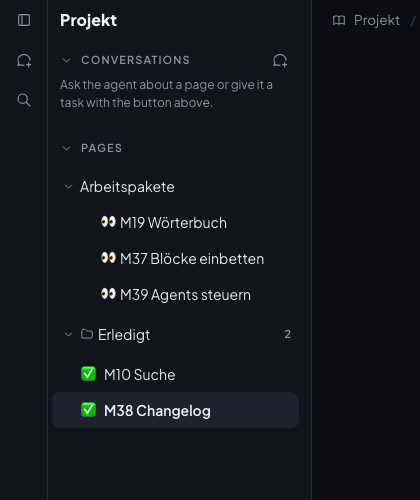
Folders no longer see double. A folder with an index page no longer shows up twice in the page list. Pages after a folder now line up with the pages before it. And when a page moves to another folder, the list follows it there.
-
A page stays whole while an agent writes it. Typing in a page while an agent wrote the same file could leave only the block you typed in, with the rest of the page gone. Now the page stays whole, with your block and the agent's changes.
0.3.1
A small version after 0.3.0: What's new now shows every version, the agent picker keeps your choice, and a handful of fixes make lists, logs and navigation steadier.
Changed
-
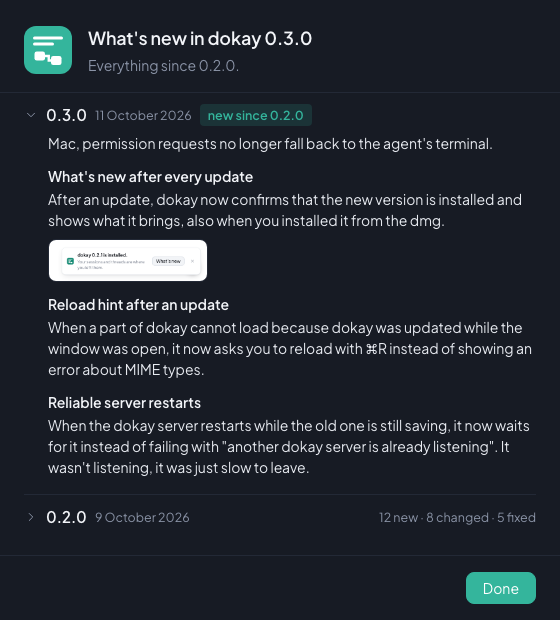
Changelogs for older versions. What's new now lists every version of dokay, newest first, so you can look back at everything that happened before the latest version too. The versions since the one you had are open and marked.
-
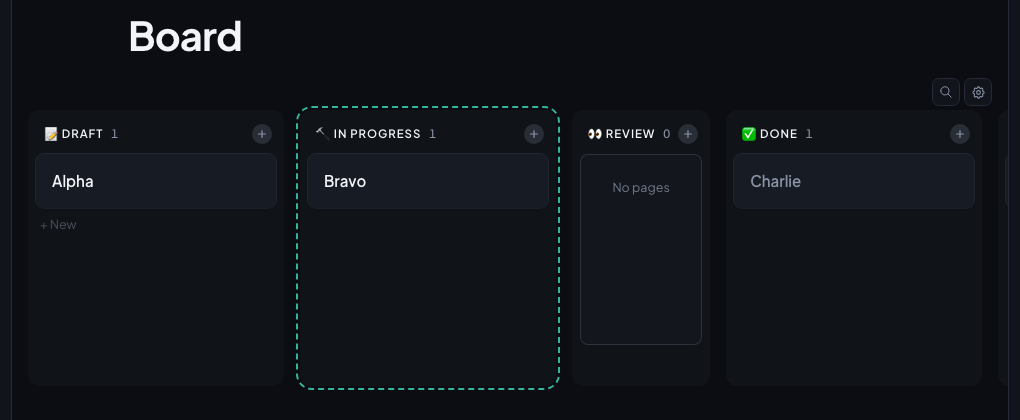
Improved comment anchors on kanban boards. Comments on a board now point at what you mean: the whole board, one column or a single card, with a frame drawn tightly around it. Lists and tables work the same way, and a card brings its page into the conversation.
-
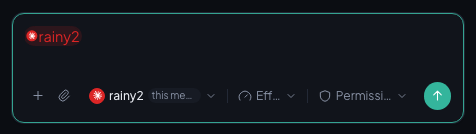
Steady agent picker in conversations. Previously, the agent you picked in a conversation was a one-time choice: after sending, the picker switched back to your lead agent, which made it awkward to talk to a single agent. Now the conversation keeps the agent you pick. To send a single message to one or more agents, @mention them in your message as before.
Fixed
-
Typing in lists while an agent edits them. A space you type at the end of a list item no longer vanishes when an agent changes another item of the same list at that moment.
-
Live output of running commands. The output of a running command, filtered or complete, now grows with its new lines while you watch, without a click. It keeps your scroll position and only follows along while you are at the end.
-
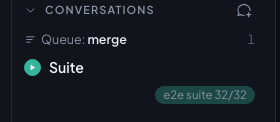
Conversation status during test runs. While an agent's tests keep reporting progress, its conversation shows the run in the list, even when the run takes longer than the last one. It turns Quiet only once the run has printed nothing for five minutes.
-
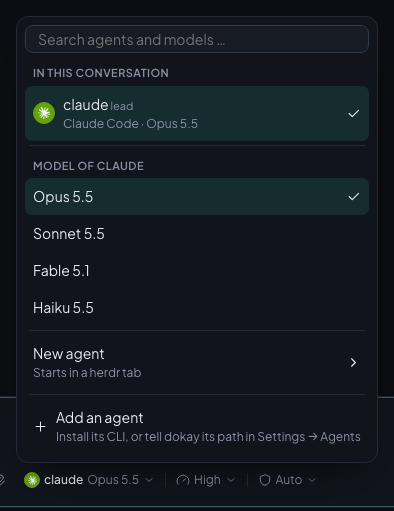
Faster agent menu. The menu under the reply field no longer waits seconds for dokay to look up the installed agents and their models. dokay now looks them up in the background, and anything still missing fills in while the menu is open.
-
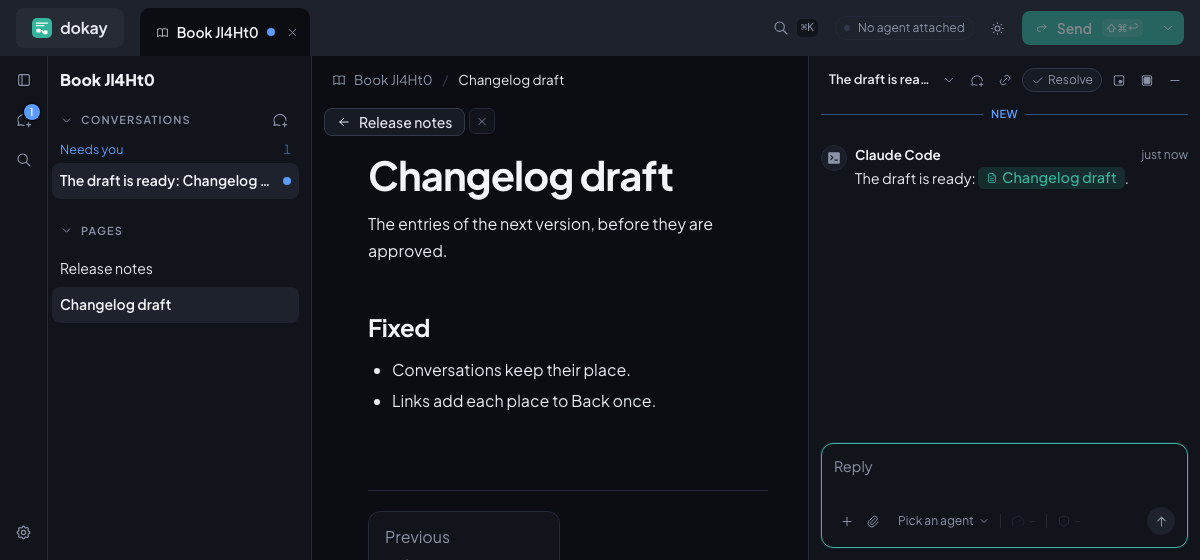
No more duplicate navigation history. Pressing a link several times, or following a link to the page that is already open, no longer adds the same page several times to Back and ⌘[. A jump to a heading on the open page leaves a single way back to where you were.
-
Link chip titles on a busy machine. When acli or gh answer slowly, a link chip in a page no longer stays without its title until the window is reloaded; the title appears as soon as the answer arrives.
0.3.0
A lot changed since the last version of dokay. To make it feel like a Mac app, you can now switch and close tabs like in your browser and use some better hotkeys. The UI is faster, feels more intuitive and should be generally more stable. Expect a lot of changes all over the place, and a few weird things that look like ideas yet to be fleshed out.
New
-
Prototype of guided tour. On the first start, a tour now tries to walk you through the setup and the most important features of dokay. Welp, it is not there yet. It’s an idea, but it still needs massive love. If you left the tour in a rage: Settings › Getting started opens it again.
-
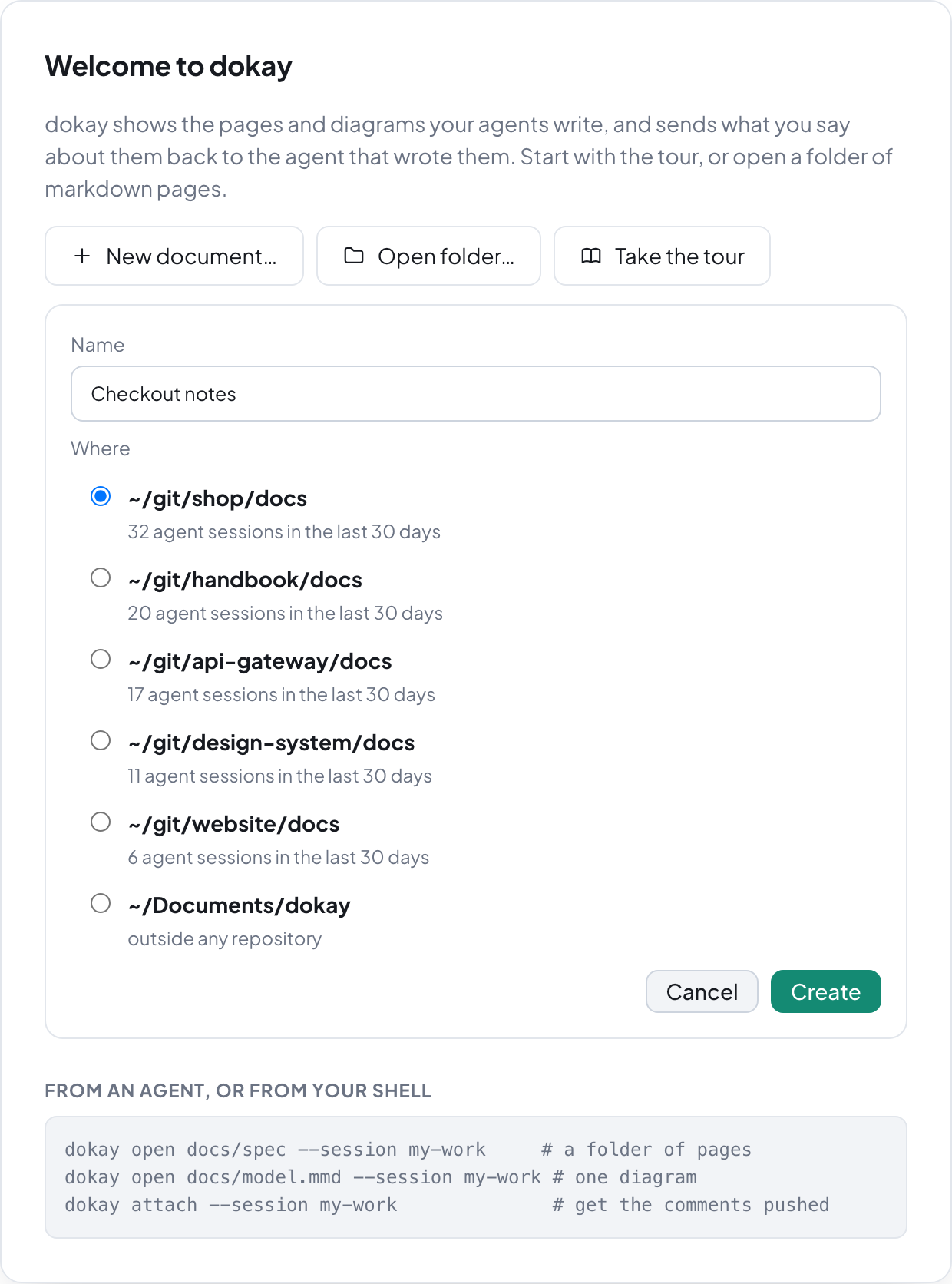
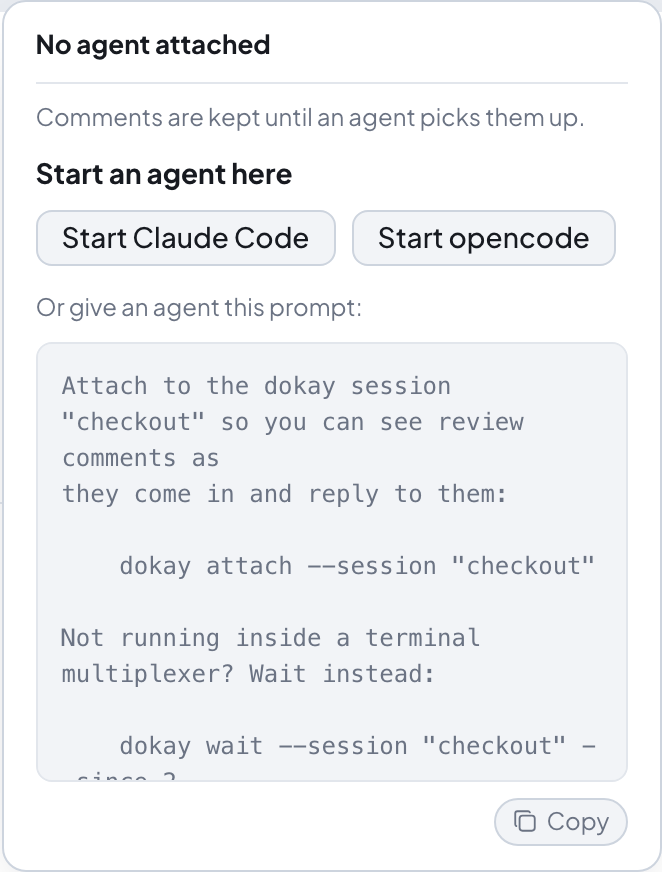
Create documents and start agents from dokay. The start screen, shown when no document is open, now lets you open a folder of Markdown pages with ⌘O or create a new document. When a document has no agent yet, dokay offers to start Claude Code, opencode or Codex for it, in herdr or a Terminal window.
-
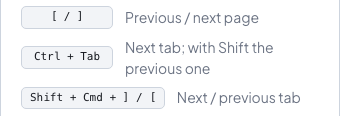
Keyboard navigation for tabs. ⌃Tab and ⌃⇧Tab (or ⌘⇧] and ⌘⇧[) now switch to the next and previous tab, even while typing. ⌘W closes the current tab instead of the window and returns to the tab you had open before; an unsent reply is kept as a draft. ⇧⌘W closes the window.
-
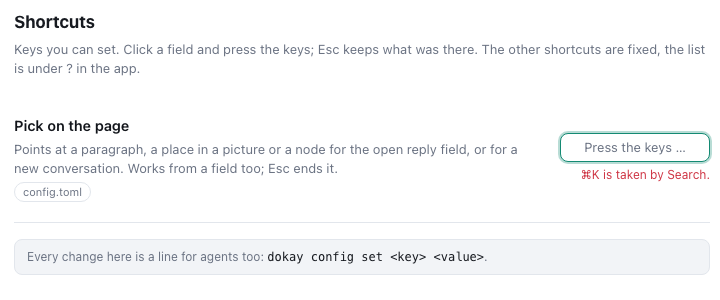
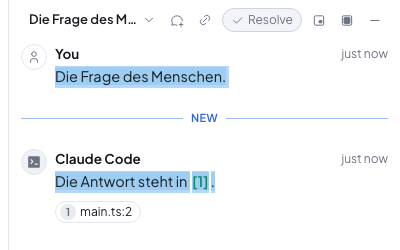
Keyboard shortcut for picking. ⇧⌘C now picks a paragraph, words or a diagram node on the page as a reference for your reply or a new conversation, and Esc stops picking. The shortcut can be changed under Settings › Shortcuts. A conversation started this way opens beside the page.
-
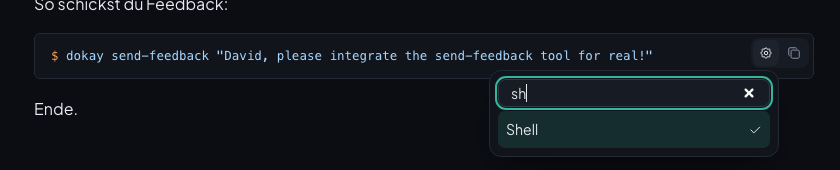
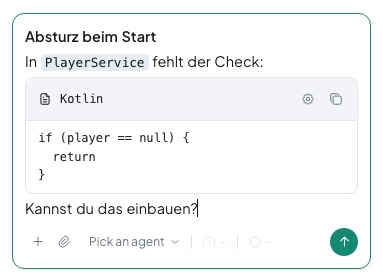
Improved fenced code blocks. Three backticks (and an optional language name) now start a fenced code block. While inside, the Enter key stays inside the fence, while Shift+Enter breaks out of it. Every code block now has a Copy button, which also copies rich text, and a picker for its programming language. In the reply field, headings, lists, quotes and inline code now turn into what they stand for as you type, and the message goes out as Markdown.
-
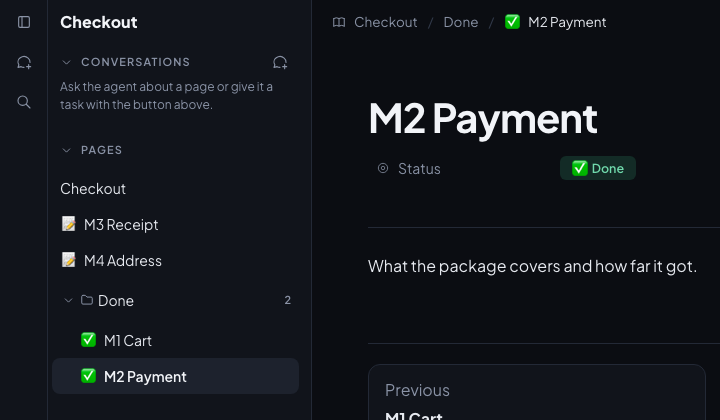
Automatically move pages into folders by status. You can now set up file movement rules inside
dokay.toml, which dokay will use to tidy up your pages and move them to different folders based on their status. This feature is experimental and likely to change (duh, it’s been there for 10 minutes and I’m already bored of it). The upcoming version will most likely drop it in favor of “triggers and scripts” (ohh).file_into = { "✅ Done" = "done", "🚫 Cancelled" = "done", "⛔ Blocked" = "blocked" }A page with such a status moves there with its sub pages, links and conversations, and back when it changes.
-
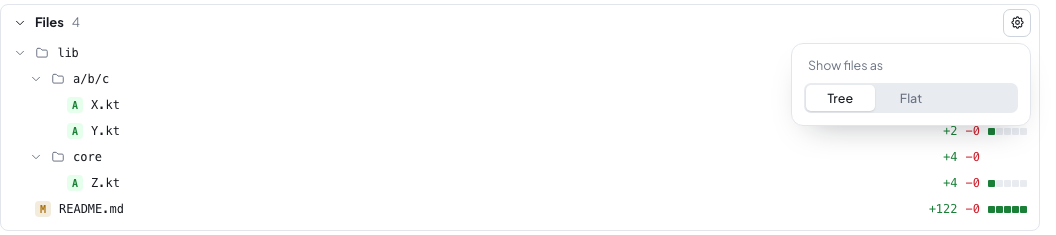
Folder tree in branch reviews. The file list of a branch review can now be shown as a folder tree instead of a flat list; the gear above the list switches between both. Each folder shows whether files in it changed and can be collapsed. It’s not GitHub, but it doesn’t try to be. (Psst… it actually does try…)
Changed
-
Faster tab and page switching. Switching tabs with a click or ⌃Tab is now “instant” (lol, nah), even while agents are busy or a tab shows a long branch review. Pages you visited reappear at once, pages with many tables open much faster, and working agents no longer slow down your Mac.
-
Native macOS scrolling. dokay now uses the scrollbars of macOS instead of its own. Scrolling over a log or a code block now scrolls that block before the page, and a conversation no longer jumps to its end while a picture loads.
-
Smarter Select All. ⌘A now selects only the area you clicked last, such as the page, a conversation or a log, instead of the whole window. Nobody ever wanted to copy the tab bar. Esc clears words you selected as a reference, and ⇧⌘→ stops at the end of the visible line.
-
Page list stays open in narrow windows. The page list on the left no longer collapses on its own when the window gets narrower; the page shrinks instead. Dragging a page onto another page now reliably makes it a sub page.
-
Optional plan progress in the page list. The progress ring beside a page in the page list, such as 3/5 for the ticked items of a plan, is now off by default. Turn it on under Settings › Appearance, for a whole book in
dokay.toml, or for a page and its sub pages in its front matter:--- progress: true --- # M3 Release vorbereiten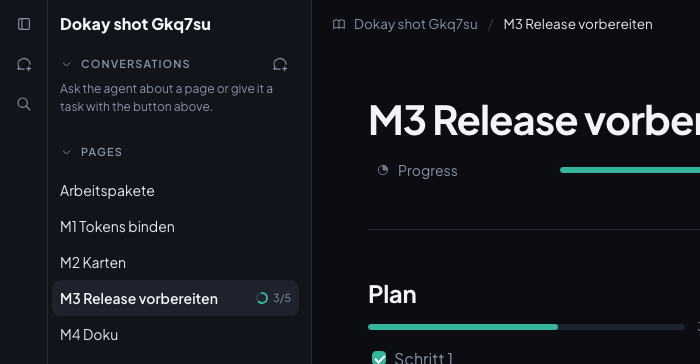
-
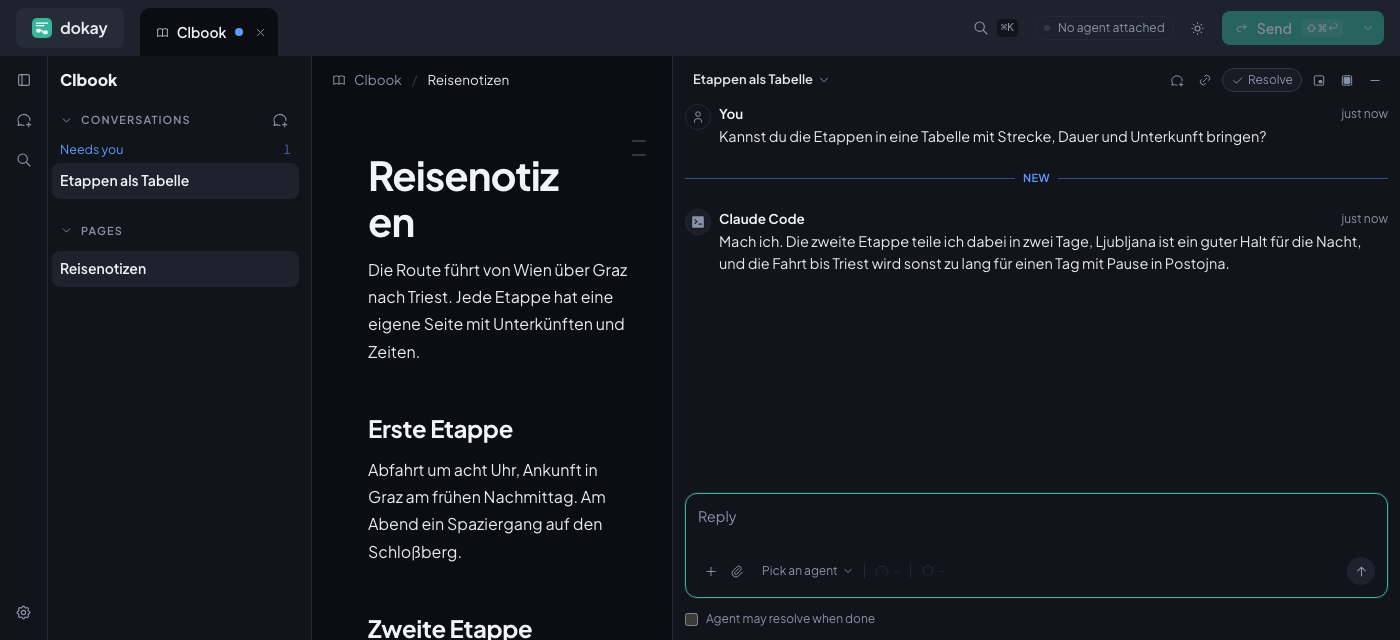
Wider conversations. The conversation panel can now be dragged wider, leaving the page as little as 360 pixels instead of 600. (Time to slim down your pages!)
Resizing feels much nicer too!
-
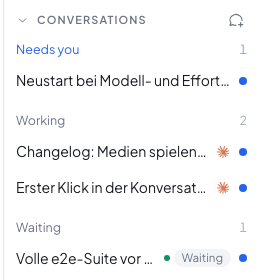
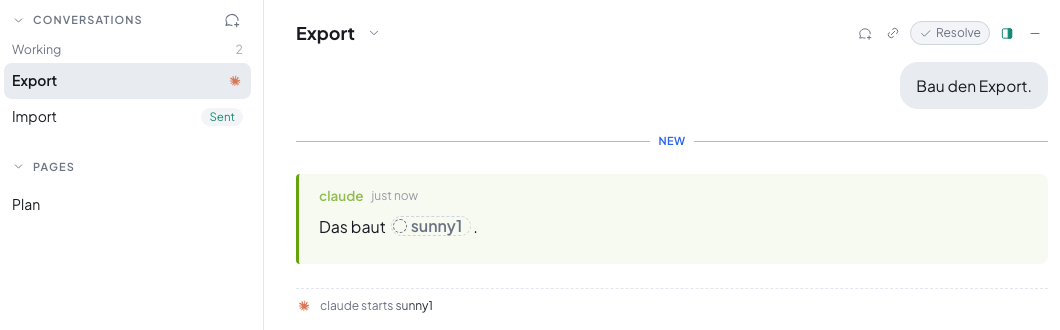
Clearer agent activity in the conversation list. The conversation list again shows a moving mark where an agent is working and a blue dot where something is new.
-
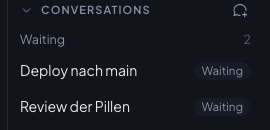
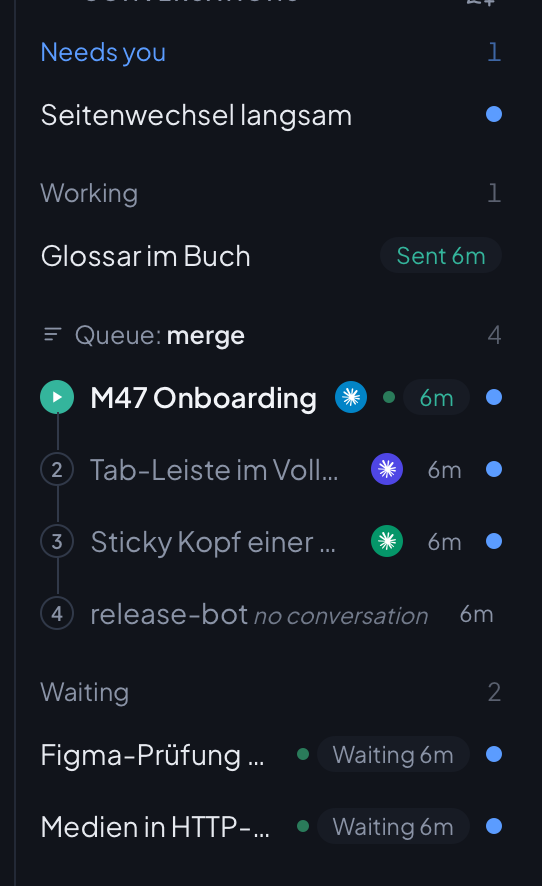
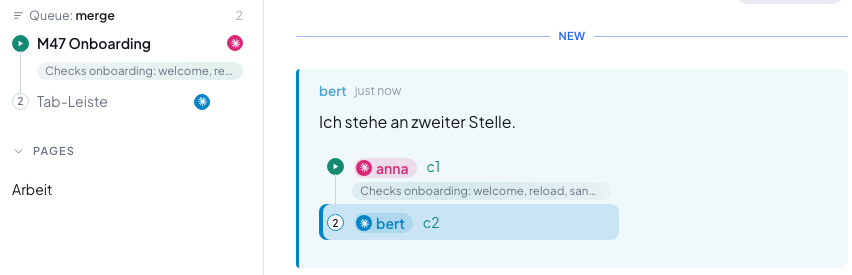
Queues as their own group. Agents waiting in a queue, for example to merge into main, now appear as a group of their own in the conversation list, in their order: the first with an arrow, the others numbered. A queue shown in a page or a message looks the same.
-
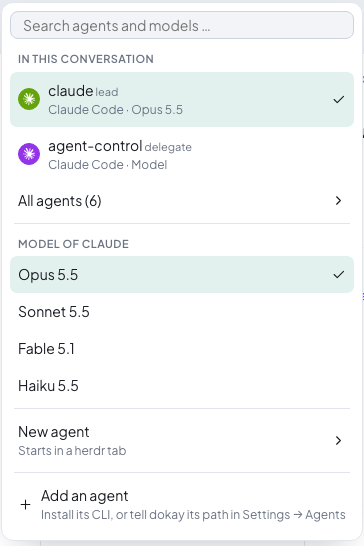
Model and effort changes without a restart. Changing the model or effort of a Claude Code agent no longer restarts it, so its running work continues. The agent menu below the reply field now lists the agents of the current conversation first, and all others under All agents. THIS DOESN’T WORK NICELY. EXPECT IT TO BE WONKY.
Fixed
-
Tab bar in full screen. In full screen and Split View, the app now keeps its tab bar with tabs, search, agents and Send, without an empty strip above it. Turns out an app is easier to use when you can see it.

-
Books reopen where you left them. A book now reopens on the page you last read, at the same scroll position and with its conversation beside it, also after a restart or in a new window. Pages that were renamed or moved in the meantime are followed.
-
No more lost clicks and typing. While agents send updates, buttons, tabs and menus now react to the first click and stay in place. Text typed into replies, settings and forms is kept, and lists and logs keep their scroll position.

-
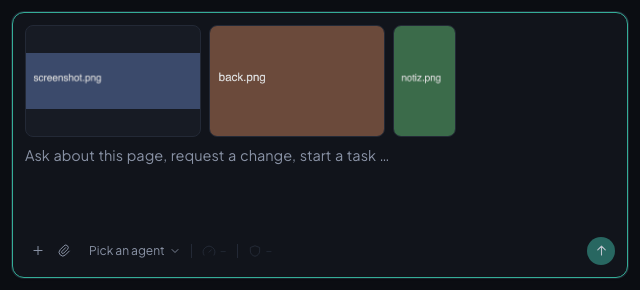
Tidier reply field. A sent message no longer stays in the reply field: the field now clears once the message is out and only restores the text if sending fails. Several pictures in the reply field now stand side by side and only wrap at its edge.
-
Selecting pictures and blocks while editing. In the page editor, ← at the start of the line after a picture, a diagram or a block now selects it and keeps it selected. The arrow keys, Delete, Enter and Esc then act on it, and ← and → step into and out of tables.
-
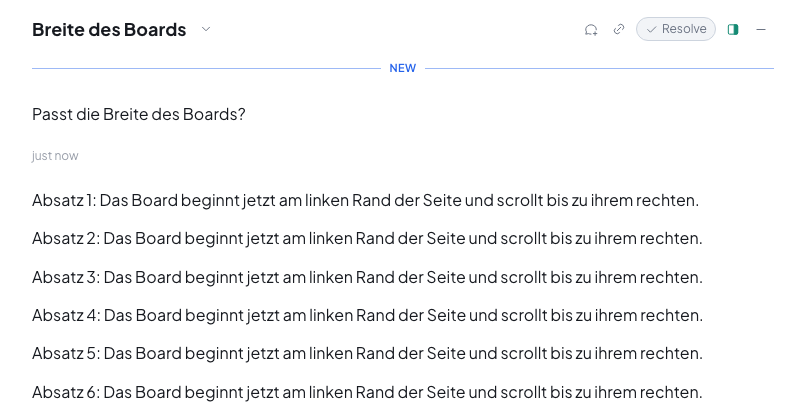
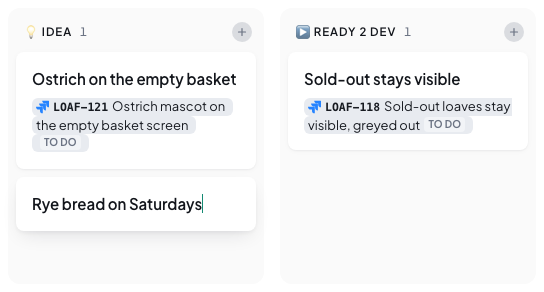
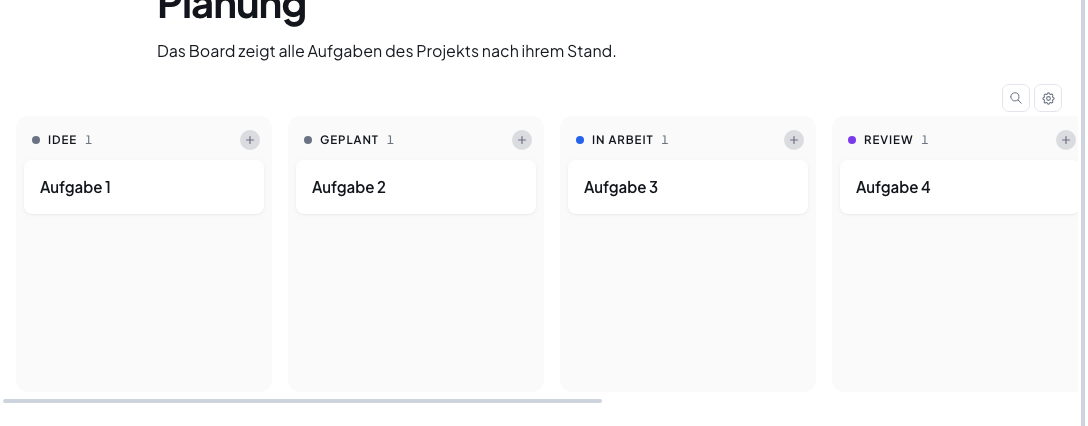
Smoother boards and properties. In a board, + New now adds a card directly in its column, ready for its title, and Enter adds the next one. A value picked for a new property is kept, long chips wrap inside their row, and wide boards start at the left edge.
-
Figma blocks respond to the mouse again. In a Figma component shown on a page, hovering over a layer highlights it again, and a click selects it.
-
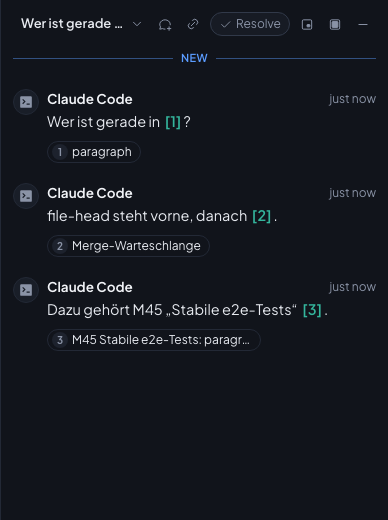
Matching reference numbers in agent replies. When an agent points at places in its reply and numbers them itself, dokay now renumbers them to match the reference chips below, so [3] in the text opens reference 3.
-
Test runs and tables in messages. When two agents run tests at the same time, each message now shows the run of the agent who wrote it. In the narrow side panel, wide tables scroll sideways instead of breaking their words.
-
Permission decisions stay with you. Permission requests, enabling plugins and full access for an agent can now only be decided in the dokay app, no longer by an agent itself. On a busy Mac, permission requests no longer fall back to the agent's terminal.
-
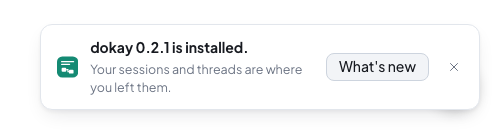
What's new after every update. After an update, dokay now confirms that the new version is installed and shows what it brings, also when you installed it from the dmg.
-
Reload hint after an update. When a part of dokay cannot load because dokay was updated while the window was open, it now asks you to reload with ⌘R instead of showing an error about MIME types.
-
Reliable server restarts. When the dokay server restarts while the old one is still saving, it now waits for it instead of failing with "another dokay server is already listening". It wasn't listening, it was just slow to leave.
0.2.0
dokay now runs as an app and tells you what is new in each update. Boards get a filter, and pages can show blocks from other pages.
New
-
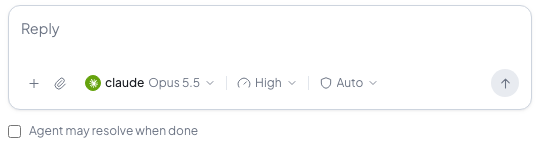
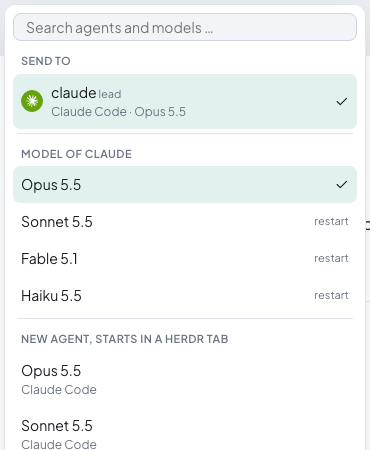
Direct control over model, effort, and permission mode. With the new agent control bar, you can quickly choose the agent which should receive your message, and change its model, effort and permission mode, or hit the stop button to interrupt its ongoing work.
-
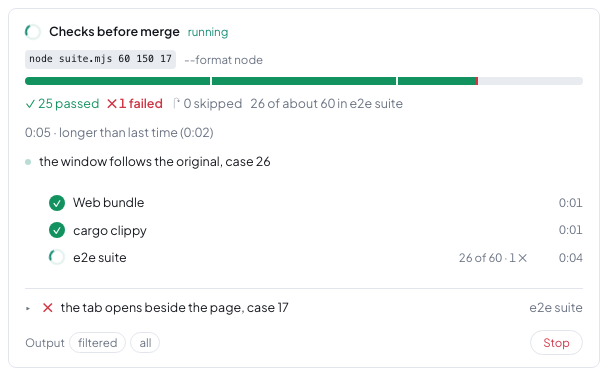
Follow test runs live. When an agent runs tests or a build, a block in the conversation shows how far it got and which tests failed, and you can stop the run there. The conversation's status pill fills up as the tests pass and turns red when one fails.
-
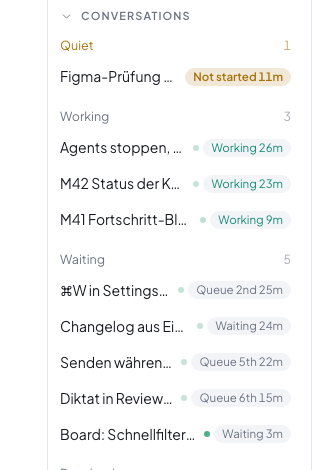
See which conversations need you. The list of conversations groups them into Needs you, Working, Waiting and Quiet, and shows when each agent last did something. A waiting agent says how long it needs. The dock icon counts the conversations that need you.
-
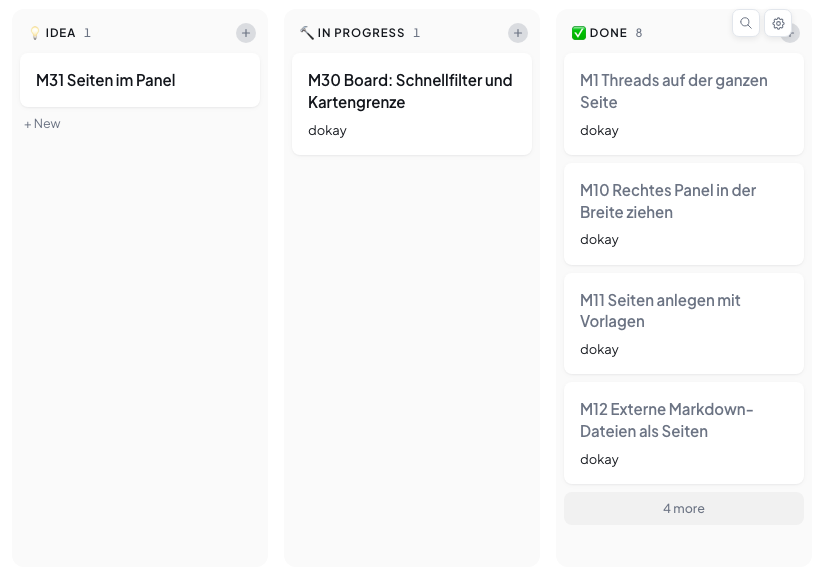
Filter a board and keep its columns short. Type in the field next to the gear to filter a board's cards, and set how many cards each column shows. Wide boards stay inside the page, and scrolling down over them moves the page.
-
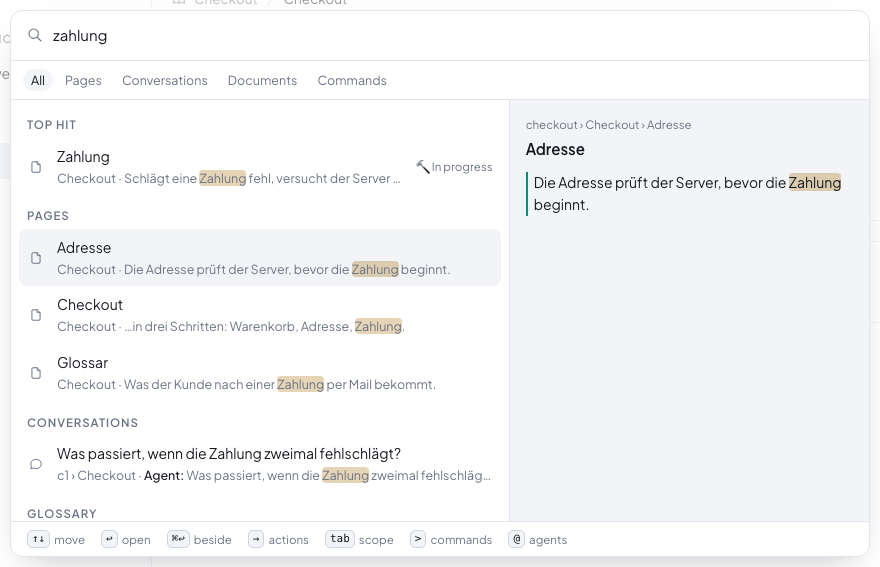
⌘K searches everything. Press ⌘K to search pages, conversations, diagrams and commands in one place. The best match comes first.
-
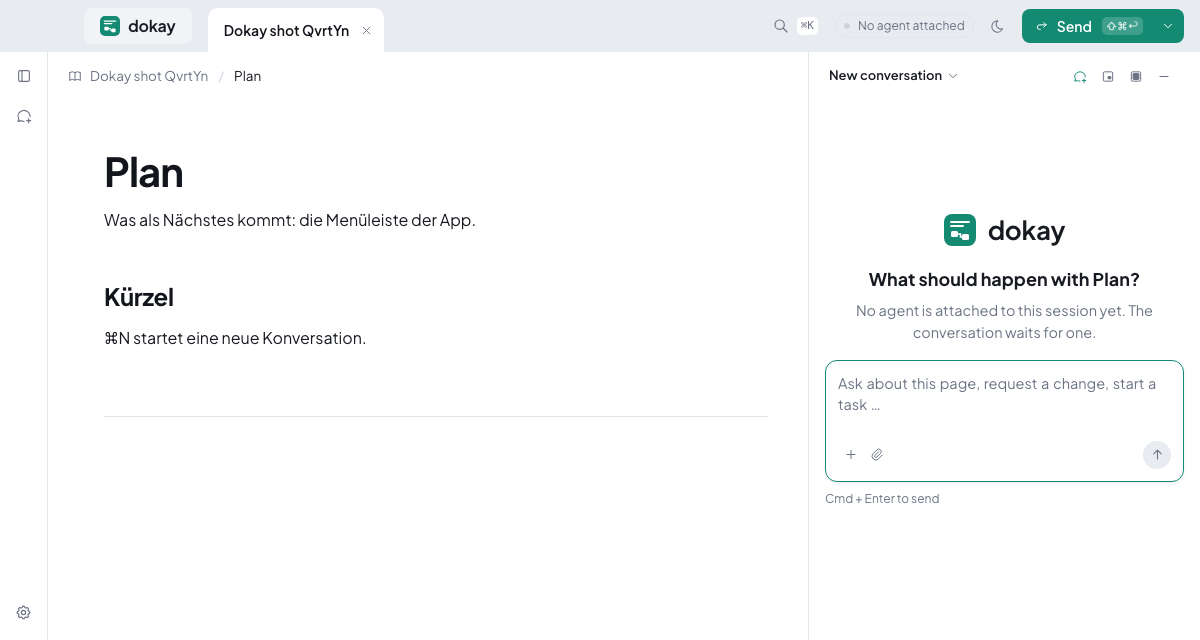
Start a conversation with ⌘N. ⌘N starts a new conversation. With every window closed, it opens the document you last had open and starts one there. A new window is ⇧⌘N.
-
Send a dictated message while it is cleaned up. When you dictate a message, you can send it while dokay is still cleaning it up. dokay now cleans up dictation in every field.
-
Auto-correct exceptions. Any auto-correction you turned down after a dictation cleanup is never suggested again.
-
Media in API responses play while they load. Audio, video, pictures and PDFs in an API response show right in the page. Audio and video start playing while they still load. A long response shows how much has arrived, and you can save any response.
-
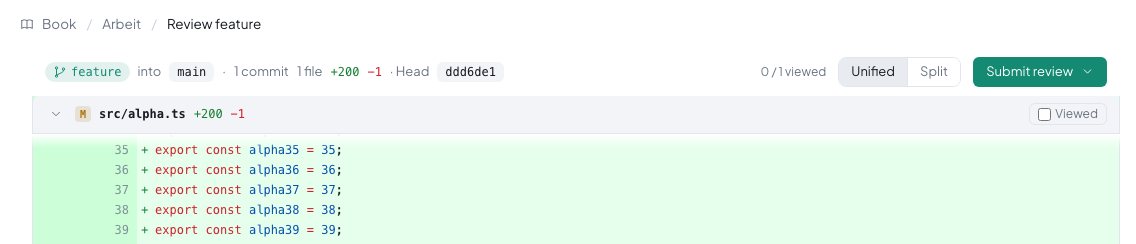
Branch reviews show the method and jump between comments. Each change in a branch review shows which method or class it is in. Press N and P to jump between comments. All comments stay in one conversation, and the review keeps its place when you switch tabs.
-
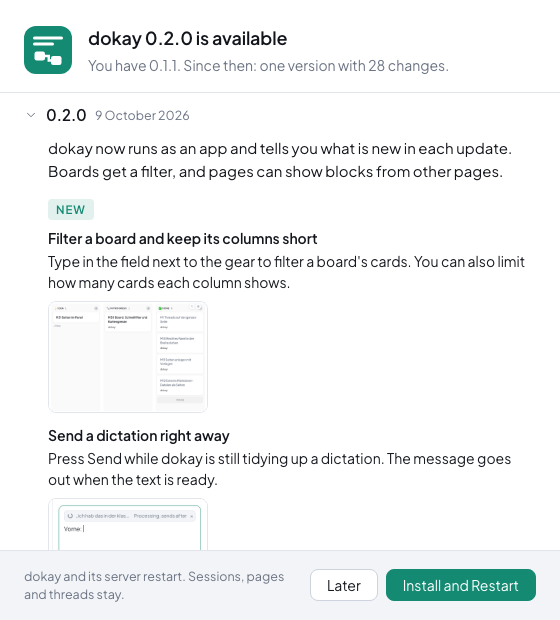
See what changed before you update. Before you update, dokay lists everything new since your version, with pictures. A new version waits in the tab bar and no longer interrupts you.
-
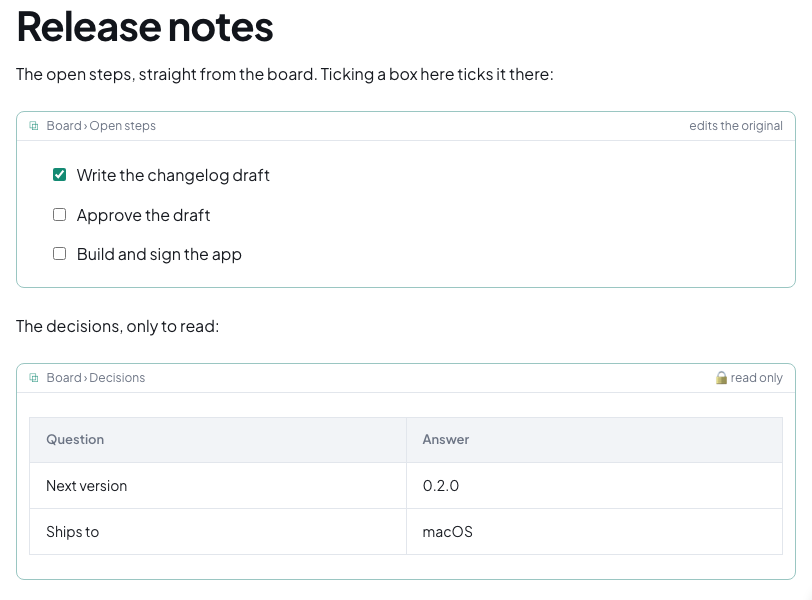
Block Embed: show a block from another page. A Block Embed shows a block or a whole section of another page inside your page and stays up to date. Make it read-only, or let it edit the original, so ticking a box in it ticks the box there.
Changed
-
Connecting Jev, Linear, Slack or Figma is smoother. The setup buttons show a spinner the moment you click. Saving a key no longer fails when an old one is already saved, and Figma accepts your company's token.
-
dokay opens the app, never a browser.
dokay openshows the document in the dokay app and starts the app when it does not run. Without the app it prints the address and where to get it. The choice between app and browser in Settings → Server is gone.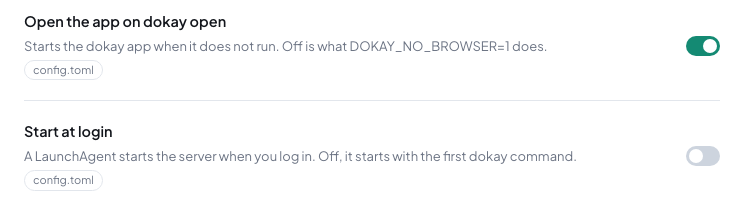
-
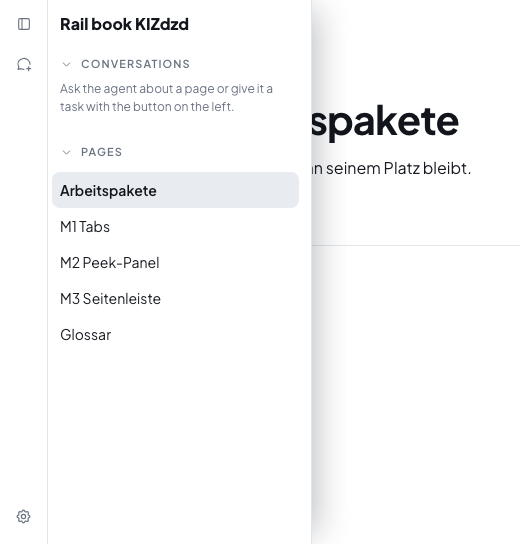
The page list opens when you point at it. When the page list is folded, move the mouse onto it to open it, and click the page to fold it again. Its buttons for pages, new conversations and settings stay at the left edge.
-
Heading markers only where they help. The small lines on the right that jump to headings now only show on pages with at least two headings.
-
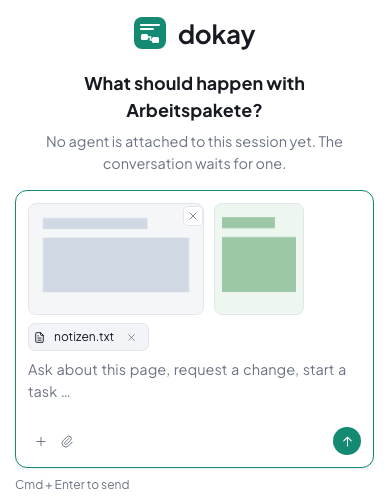
Pictures in the reply field show as previews. A screenshot you paste or drop into a reply now shows at the top of the field, large enough to read, and opens enlarged with a click. Each picture has its × to remove it.
-
Long ticket titles wrap neatly. A link to a ticket or pull request with a long title now wraps inside one box.
-
Quote a conversation as easily as a page. Select words in a message to point at them in your reply, just like words on a page.
-
Appearance preview shows real dokay. The preview in Settings, Appearance, is a real page and a real conversation, so fonts and sizes look the way they will.
Fixed
-
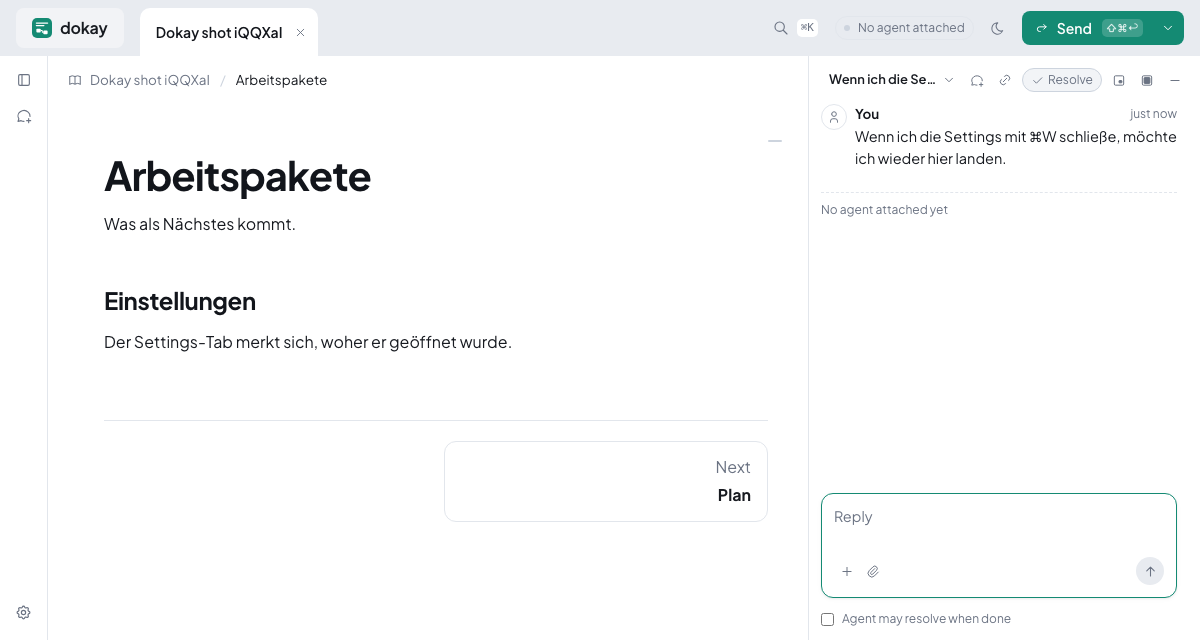
Closing the settings goes back where you were. Closing the settings tab with its × or ⌘W in the app brings back the tab you opened them from, at the same page and conversation, also after a reload. If that tab is closed by then, the tab you used before it takes over.
-
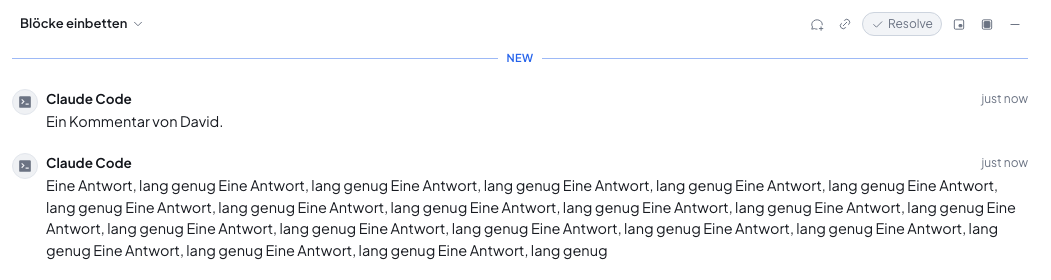
The conversation head is as wide as its messages. A conversation panel dragged wide no longer squeezes its title and buttons into a narrow strip in the middle. The title starts above the first message and the buttons end where the messages end.
-
Your reply no longer starts behind the agent's name. When an agent asks you something, the cursor now lands after its name in the reply field, so you can type right away.

-
Links always let you go back. After you follow a link to another page, you can always jump back. That button no longer fades out.
-
Plugins no longer restyle the page. A plugin's styles could change the whole page. Now they only change its own block.